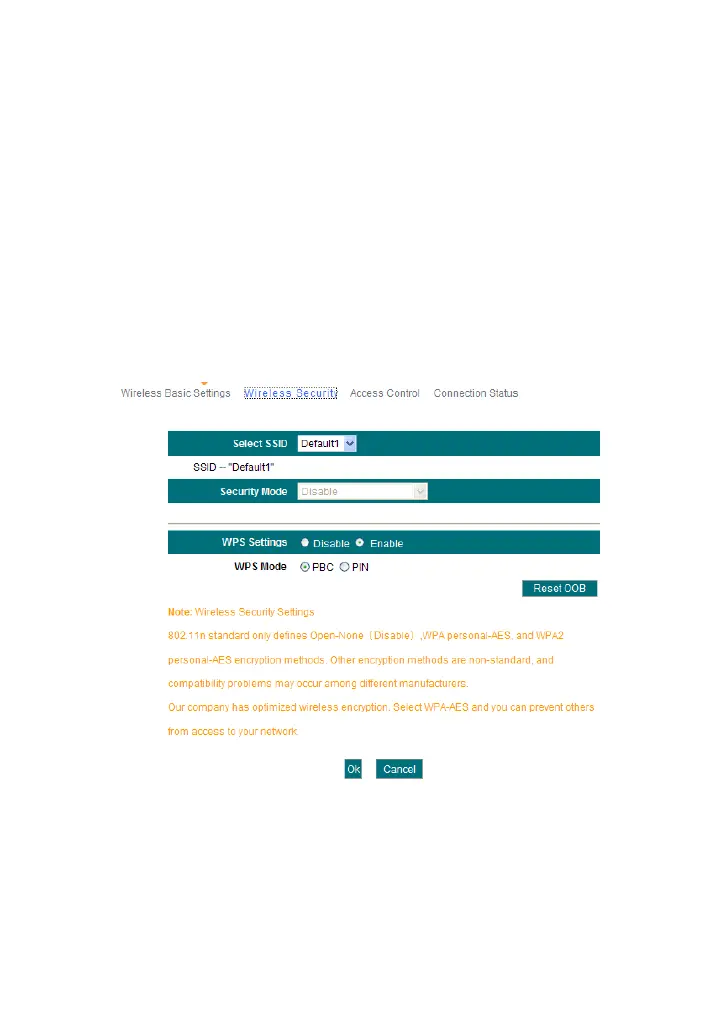
With the wireless security function, you can prevent others from connecting
to your wireless network and using the network resources without your
consent. Meanwhile, you can also block illegal users from intercepting or
intruding your wireless network.
5.2.1 WPS Settings
WPS (Wi-Fi Protected Setting) makes it quick and easy to establish a
secure connection between the wireless clients and the router. The users
only need to enter a PIN code or press WPS button on the back panel to
configure it without manually selecting an encryption method or set a key.
WPS settings: To enable or disable WPS function. The default is
“Enable”.
WPS mode: Provide two ways: PBC (Push-Button Configuration)
and PIN code.
PBC: Select the PBC and click Ok, or press and hold the WPS
button on the back panel of the device for about one second. The
WPS LED indicator will be flashing for 2 minutes, which means the



 To Next Page