10 System Tools
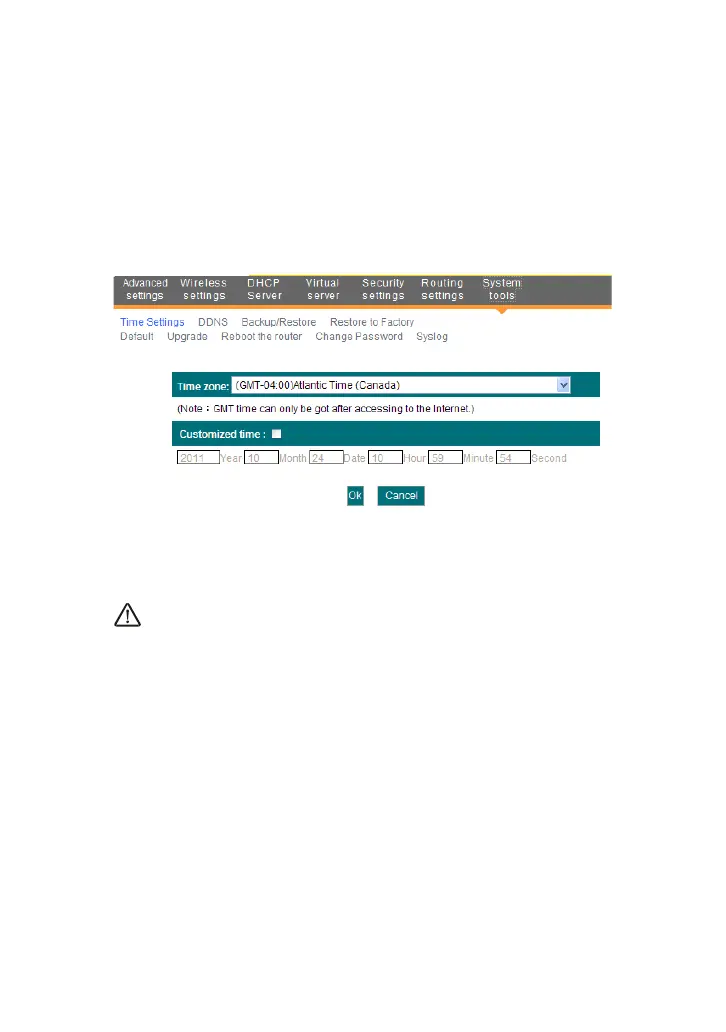
10.1 Time Settings
This section is to configure the router’s system time. You can set it
manually or obtain the GMT time from the Internet.
Time zone: Select the time zone where you are operating the
Router from the drop-down list.
Customized time: Enter the time you wish to configure.
NOTE:
When the Router is powered off, the time settings will be lost. The router
will obtain the GMT time automatically when you next time access the
Internet. Only when you connect to the Internet and obtain the GMT time or
set the time on this screen, can the time settings in other functions (e.g.
security settings) take effect.
10.2 DDNS
The DDNS (Dynamic Domain Name System) is supported in this Router. It
is used to assign a fixed host and domain name to a dynamic Internet IP
address. Every time you access the Internet, the dynamic domain name
software installed on your host will tell the ISP’S host server its dynamic IP
address by sending messages. And the server software is responsible for



 To Next Page