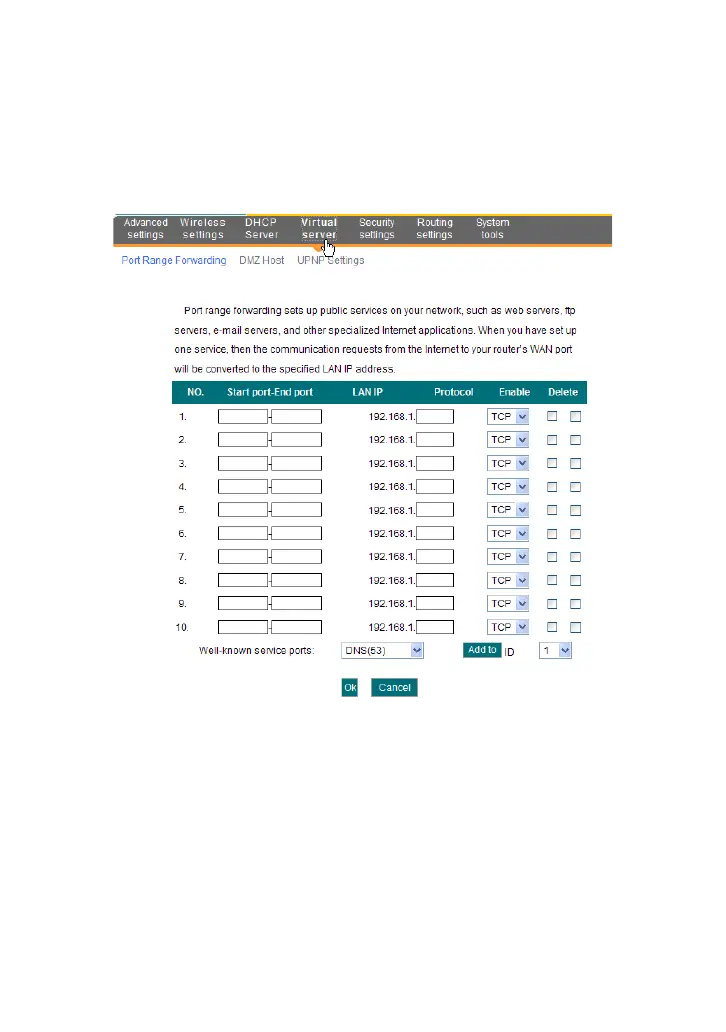
7 Virtual Server
7.1 Port Range Forwarding
Start/End port: Enter the start/end port number which ranges the
External ports used to set the server or Internet applications.
LAN IP: Enter the IP address of the PC which you want to set as the
server.
Protocol: Select the protocol (TCP/UDP/Both) for the application. If
you are not clear about the protocol you are using, you can select
“Both”.
Enable: Click the Enable checkbox to bring the set rule into effect.
Delete: Clear all settings of this item.
Well-known service port: The well-known protocol ports are listed
in the drop-down list. Select one and select a sequence number in



 To Next Page