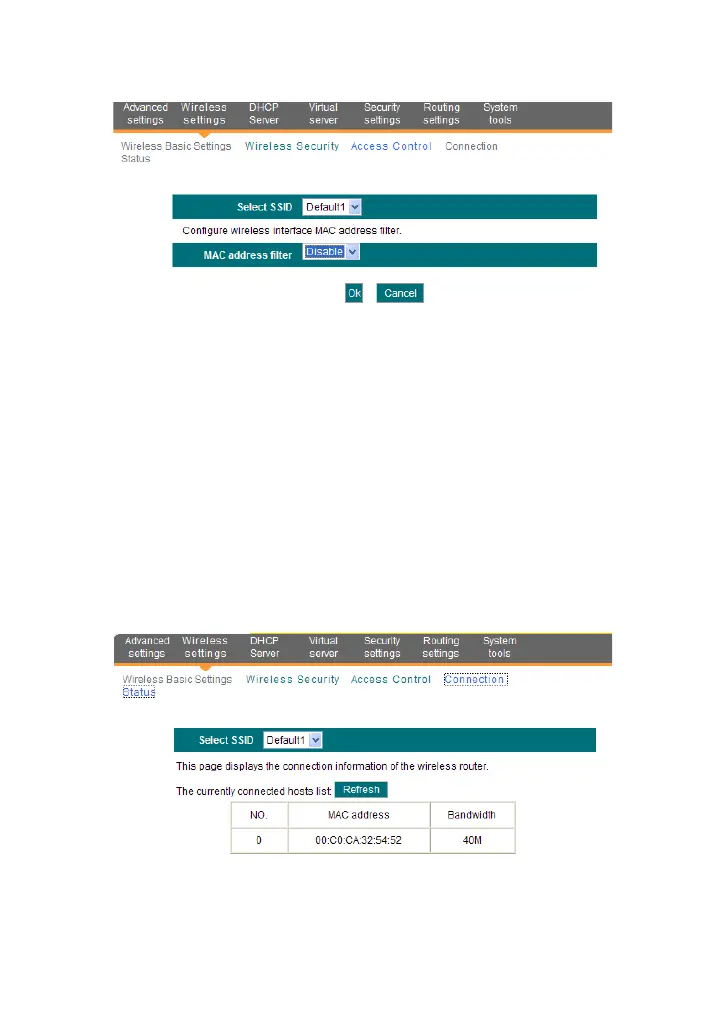
MAC address filter: “Permit” indicates to allow the clients in the list
to access the wireless network, “Forbid” indicates to prevent the
clients in the list from accessing the wireless network.
Configure MAC address: Input the MAC addresses of the wireless
clients to implement the filter policy. Click “Add” to finish the MAC
add operation.
MAC Address list: Show the added MAC addresses. You can add
or delete them.
5.4 Connection Status
This screen shows wireless client’s connection status, including MAC
address, Channel bandwidth.
MAC address: Shows the MAC addresses of the hosts connected
to the Router.
Bandwidth: Shows the channel bandwidth of the current connected
hosts (wireless clients).



 To Next Page