5 WLAN Settings
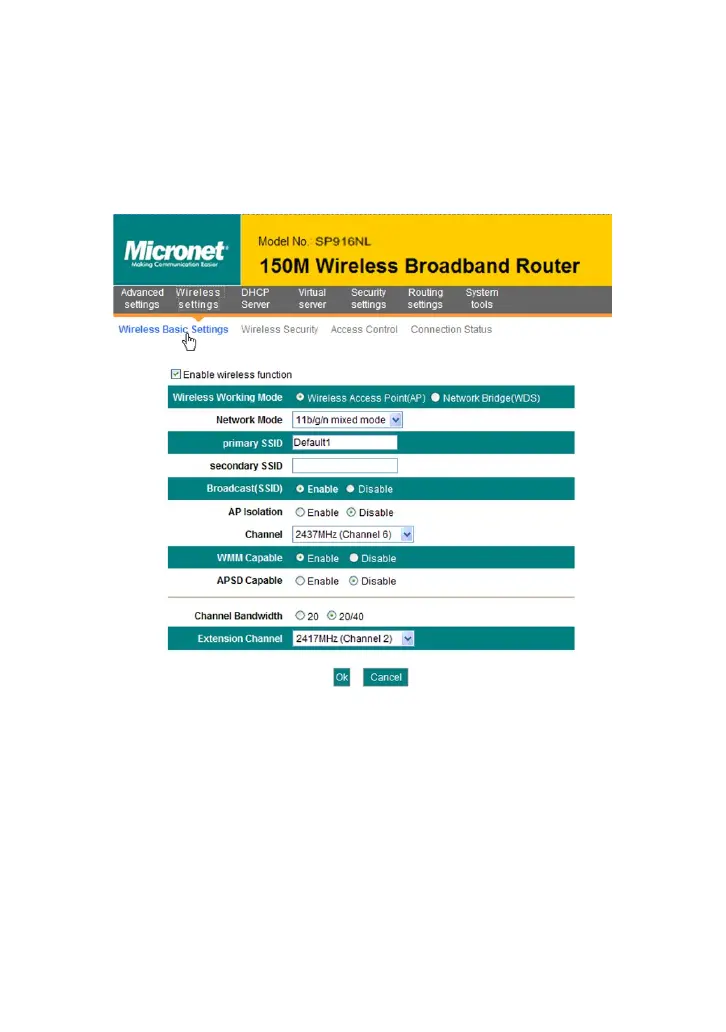
5.1 Wireless Basic Settings
Enable wireless function: Select to enable the Router’s wireless
features; deselect to disable it and all functions related with wireless
are disabled.
Wireless working mode: This router provides two kinds of working
modes: Wireless Access Point(AP) and Network Bridge (WDS)
Wireless Access Point (AP)
Network Mode: Select one mode from the drop-down list.
11b mode : Select it if you have only Wireless-B clients in your
network.
11g mode: Select it if you have only Wireless-G clients in your



 To Next Page