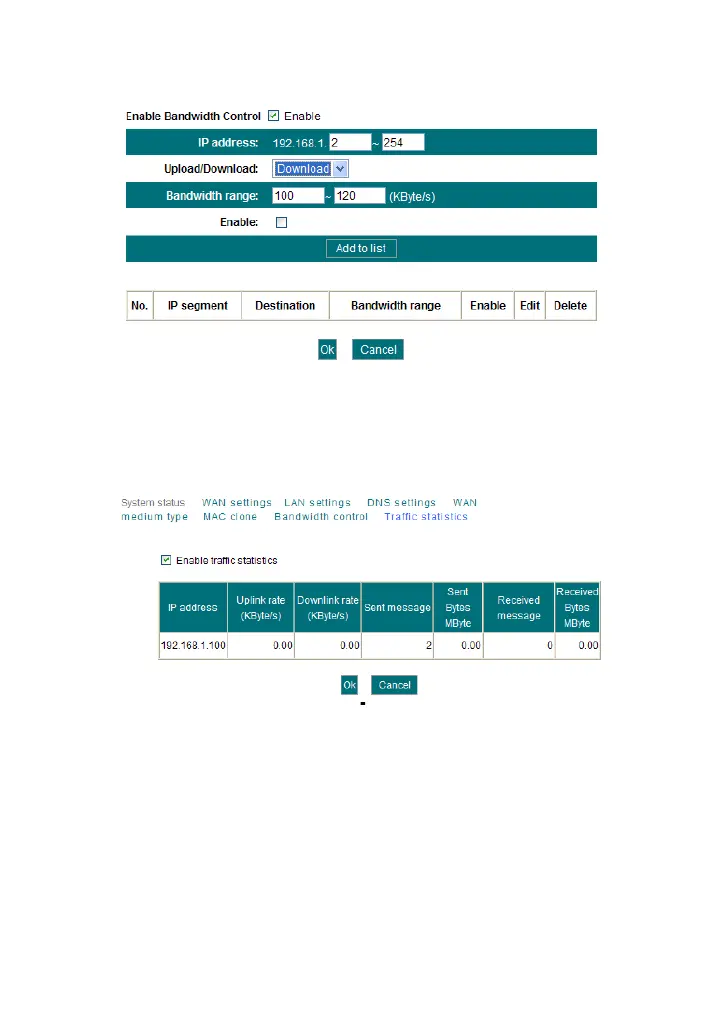
The setting method is the same as Example 1.
4.8 Traffic Statistics
Traffic statistics is used to display the bandwidth that LAN PC used.
Enable Traffic statistics: It is used to calculate the traffic used by the LAN
computers. You can enable it to calculate the traffic for you. Usually,
disable it to improve the router’s data packet processing ability, and the
default is disabled. When this function is enabled, the webpage will refresh
automatically every five minutes, meanwhile, each computer’s traffic value
will refresh automatically.
IP address: the IP address of the computer whose traffic is being
calculated.
Uplink rate: the data sending speed per second, the unit is KByte/s.
Downlink rate: the data receiving speed per second, the unit is
KByte/s.



 To Next Page