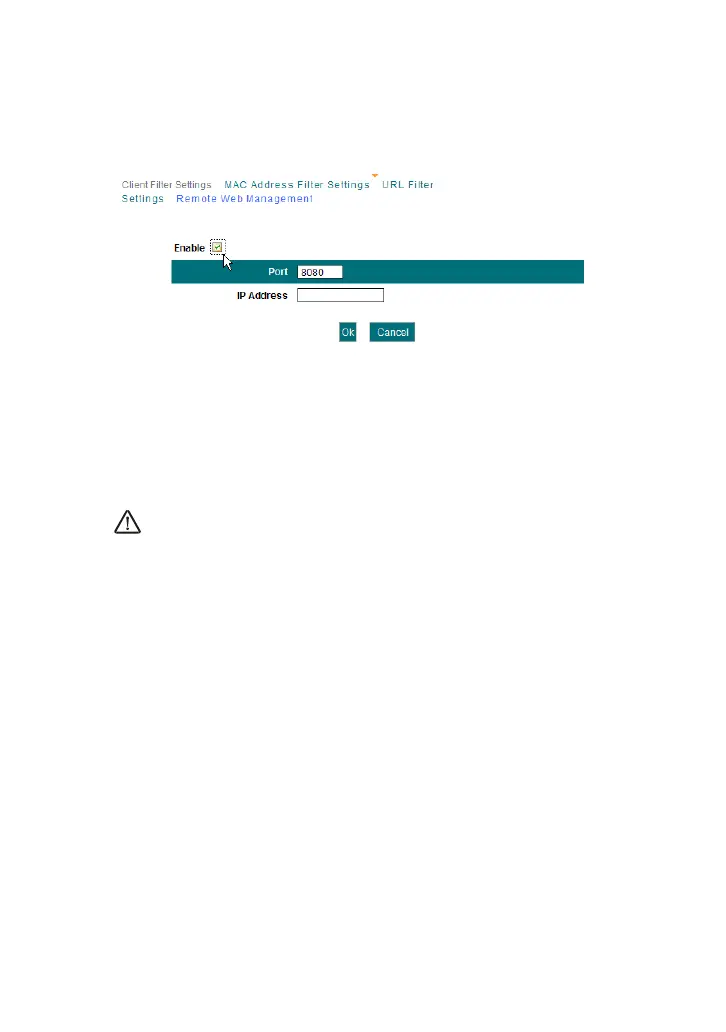
This section instructs how to allow the network administrator to manage
the Router remotely. If you want to access the Router from outside of the
local network, please click the checkbox after “Enable”.
Enable: Check to enable remote web management.
Port: The management port open to outside access. The default
value is 80.
IP Address: Specify the range of the IP addresses of the computers
on the Internet for remote management.
NOTE:
1. If you want to log in the device’s Web-based Utility via port 8080, you
need to use the format of WAN IP address: port (for example
http://220.135.211.56:8080) to implement remote login.
2. If your WAN IP address starts and ends with 0.0.0.0, it means all hosts
on the Internet can implement remote Web management. If you change
the Internet IP address as 218.88.93.33-218.88.93.35, then only the
computers at the IP addresses of 218.88.93.33, 218.88.93.34 and
218.88.93.35 can access the Router to implement remote web
management.
For example:
If you want to configure the computer at the IP address of 218.88.93.33 to
access the router’s web-based utility via port 8080, please set the
parameters as above.



 To Next Page