11
6 Power On/Off
6.1 Power On
When the instrument is turned on for the first time, the battery must
be fully charged. If the battery is running low, please don’t turn on the
instrument until the power adapter provided with the instrument is inserted
into the power jack and connected to the external power supply. If the
instrument is in sleep mode, just press and hold the Power button for 1
second or insert a test strip to wake it up.
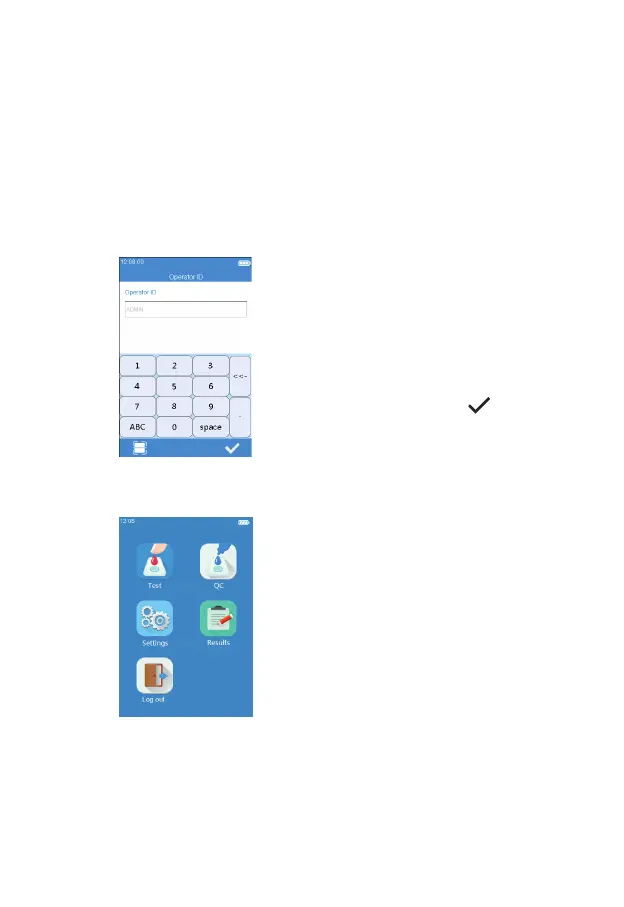
If Operator ID is set to On, the
meter automatically enters Operator
ID menu (see gure 2-1) after it
is turned on. Manually input any
character (or obtain Operator ID by
scanning) and touch “
” to enter
Main menu.
Once Operator ID is On, the Log
out icon in Main screen will be
enabled and displayed in brown
(see gure 2-2). To switch between
the operators, please return to the
screen for inputting the operator ID
by pressing the Log out icon, and
then re-enter the operator ID.
(2-2)
(2-1)



 To Next Page