36
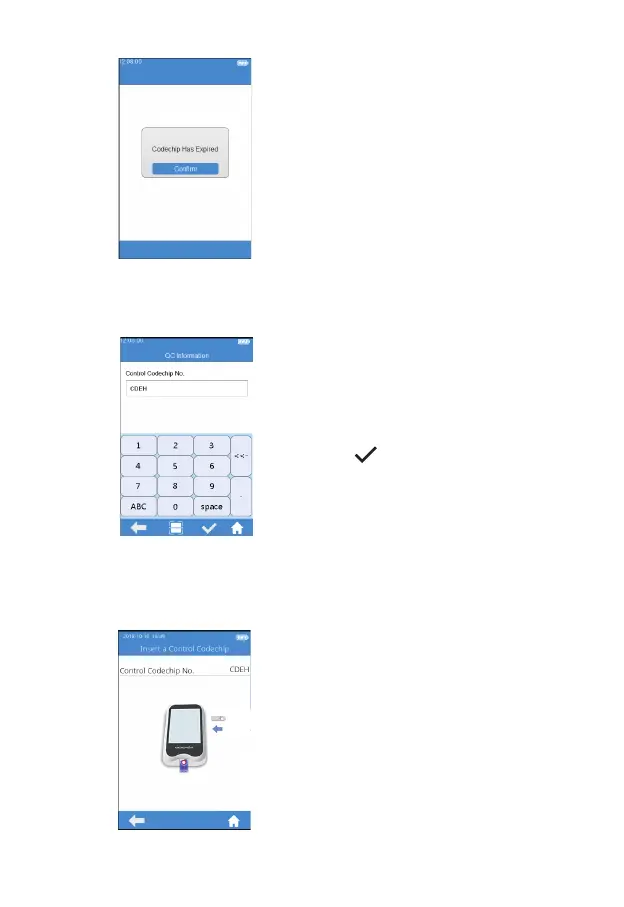
When the input Codechip number
of the test strip has expired, the
system will provide a warning
message indicating that the
Codechip has expired.
9.4 Input QC Information
After the Codechip is installed,
please enter the QC information
screen (Figure 5-4), and input the
Codechip number of the QC liquid
(see the outer package for details),
The Codechip number can be
inputted through manually input and
click "
" to save, or by scanning
the barcode on the package of the
test strip. The Codechip number of
the QC liquid cannot be empty, or
the system will provide a warning
message indicating that the input is
invalid when you click Save.
9.5 Install QC Liquid Codechip
The screen will display the speci c
Codechip information of the QC
liquid (Figure 5-5) after inputting the
Codechip information of the QC
liquid.
(5-4)
(5-5)



 To Next Page