19
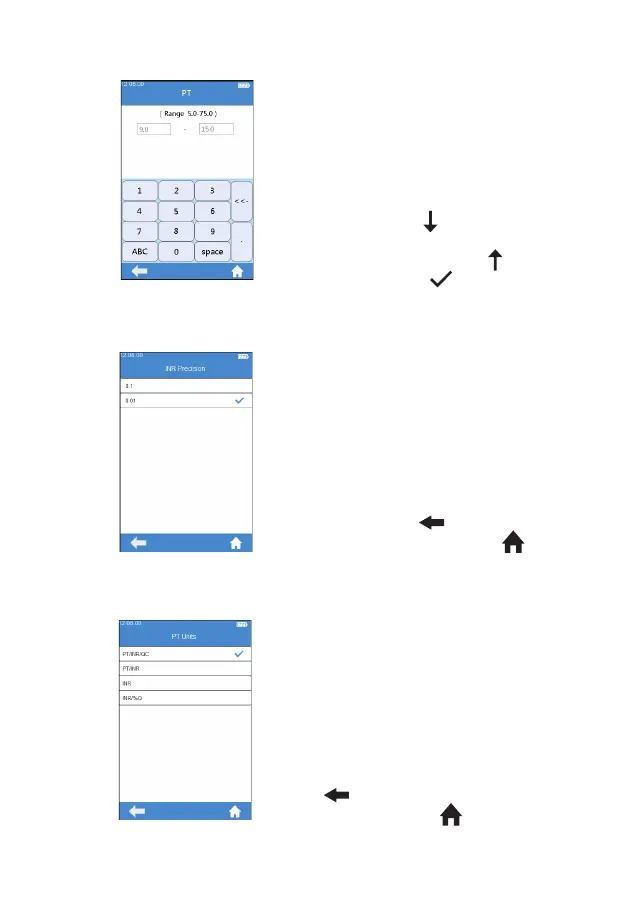
Click any value in the Reference
Range table to automatically enter
the menu which allow the user to
modify the value, and the user can
re-modify the upper and lower limits
(see gure 3-13) within the given
setting range. After the value range
is modi ed, if the test result is below
the lower limit, "
" then displays
in the result menu; if the test result
is above the upper limit, " " then
displays. Touch “
” to return to
the previous menu.
7.4.4 INR Precision
Click “INR Precision” from Test
Parameter menu (see gure 3-7)
to enter the INR Precision menu
(see gure 3-14). The INR accuracy
displayed can be set as needed.
When 0.1 is selected, the INR value
is displayed as one decimal place.
When 0.01 is selected, the INR
value is displayed as two decimal
places.
Click "
" to return to the
previous screen and click " " to
return to the main menu.
7.4.5 PT Units
Click “PT Units” from Test
Parameter menu (see gure 3-7) to
enter the PT Units menu (see gure
3-15). The display format of the PT
test result can be set as required.
The available display formats are:
PT/INR/QC, PT/INR, INR, INR/%Q.
After selecting a format, PT test
result is displayed accordingly.
Click
"
" to return to the previous
screen and click " " to return to
the main menu.
(3-14)
(3-15)
(3-13)



 To Next Page