14
7.3 Bluetooth
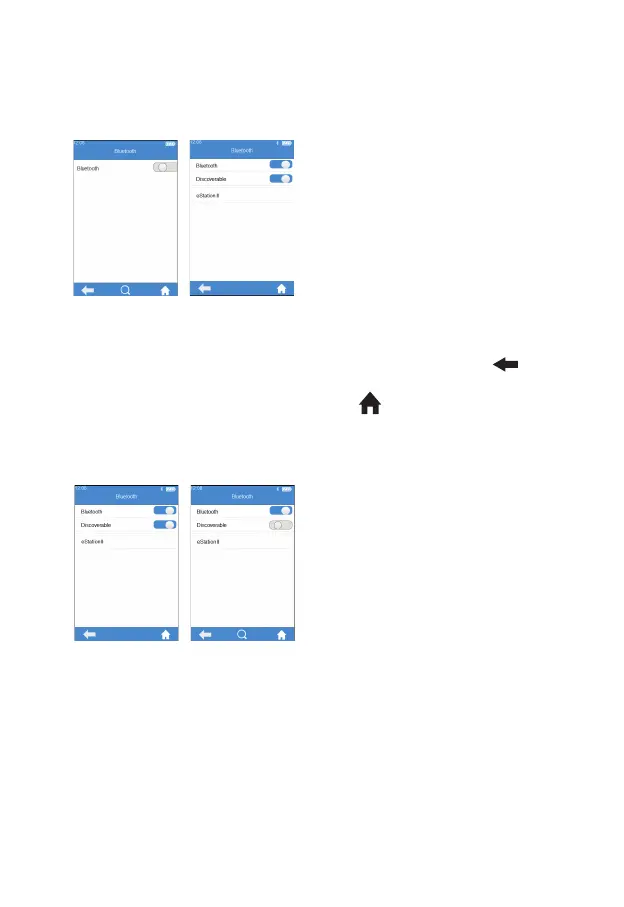
Click “Bluetooth” from Settings
menu (see gure3-1) to enter
the Bluetooth menu (see gure
3-3). When the Bluetooth button
is displayed in blue, it means
Bluetooth is turned on; when
the Bluetooth button is grayed
out, it means Bluetooth is turned
off. Once Bluetooth is turned on
and connected successfully, the
Bluetooth icon on the upper right
corner of the menu is highlighted.
However, if Bluetooth is turned on
but fails to connect, the Bluetooth
icon is grayed out. Click "
" to
return to the previous screen and
click " " to return to the main
menu.
"Detectable" option pops up
automatically when Bluetooth is
set to On. When "Detectable"
option is displayed in blue, it means
Detectable Mode is opened, and
the meter can be searched by
other Bluetooth devices. However,
the meter cannot search other
Bluetooth devices actively in the
mode. If "Detectable" option is
grayed out, it means Detectable
Mode is closed.
(3-3)
(3-4)



 To Next Page