15
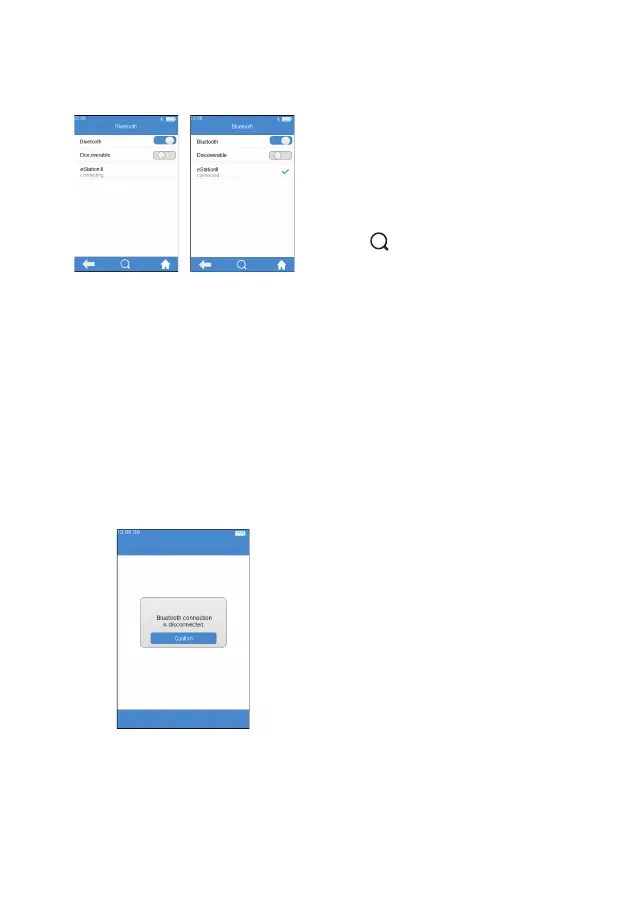
When Bluetooth is set to On and
Detectable Mode is closed, the
meter automatically searches for the
connectable base. Touch one of the
bases in the search result list after
completing the search, the screen
then displays “connecting...”, and
the meter displays "connected"
after the connection is completed.
Touch " " to manually search for
the connectable Bluetooth devices.
Touch the connected Bluetooth
device, and the system prompts
whether to disconnect, then touch
OK to disconnect the current
connection.
Bluetooth can be used to connect the meter to eStation II and a
speci c mobile APP. Once connected to eStation II, the test results can
be transferred to eStation II for printing. The test results can also be
transferred to DMS, LIS or HIS system via eStation II. After connecting
with a speci c mobile APP, Micropoint cloud can be accessed to upgrade
and maintain the meter’s software when necessary.
When Bluetooth is disconnected or
failed to connect during operation,
the system pops up a box and
prompts the user to reconnect. In
such case, please turn on Bluetooth
again and then reconnect.
(3-6)
(3-5)



 To Next Page