21
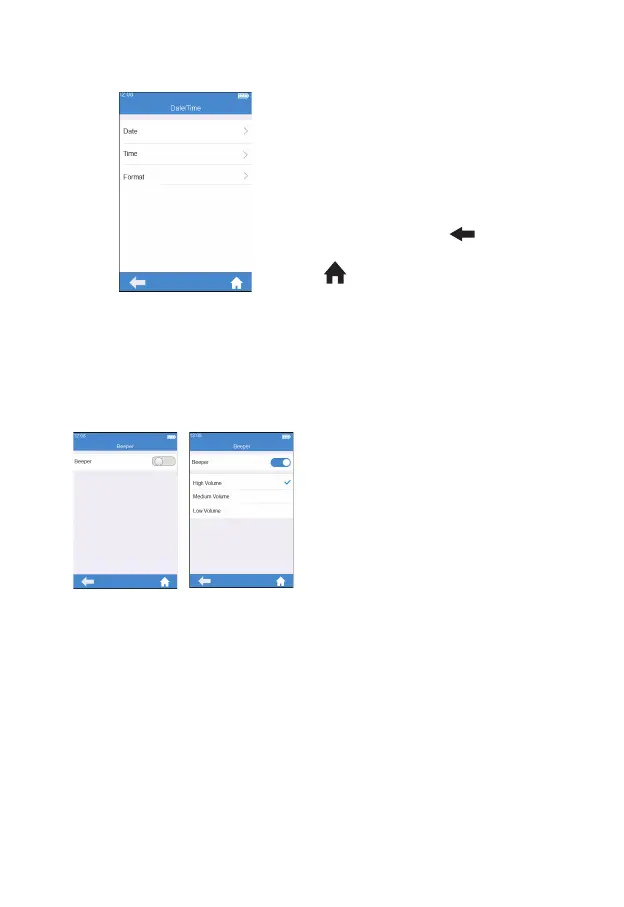
7.5.1 Date/Time
Click "Date/Time" from the System
Parameter screen (Figure 3-17) to
enter the screen (Figure 3-18) that
prompts the user to set the date
and time. The user can set the date,
time, and even their display format
respectively. Click "
" to return
to the previous screen and click
" " to return to the main menu.
7.5.2 Beeper
Click "Beeper" from the System
Parameter screen (Figure 3-17)
to enter the screen (Figure 3-19)
that prompts the user to set the
beeper. The beeper is turned off
when the beeper button is grayed
out.The beeper is turned on when
the beeper button is blue, and the
user can set different volume: high,
medium and low. After the beeper
is turned on, it will “beep” in any
of the following circumstance: the
instrument is turned on, the test
strip is inserted successfully, scan is
performed successfully, the heating
is completed, the sample is added,
the test is completed, and the
instrument enters sleep mode.
(3-18)
(3-19)



 To Next Page