23
7.5.6 Print and Upload
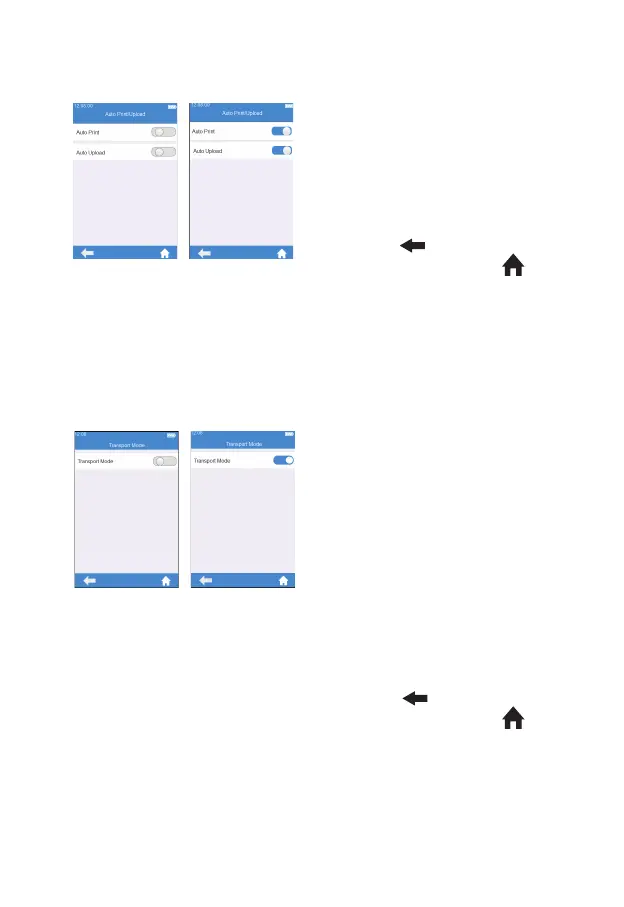
Click "Auto Print/Upload" from
the System Parameter screen
(Figure 3-17) to enter the print
upload setting screen (Figure 3-23).
The auto print/upload function is
disabled when the button is grayed
out. The auto print/upload function
is enabled when the button is
blue. Click "
" to return to the
previous screen and click " " to
return to the main menu.
7.5.7 Transport Mode
Click “Transport Mode” from
System Parameter menu (see gure
3-17) to enter Transport Mode
menu (see gure 3-24). When the
button is in blue, Transport Mode
is turned on; when the button is
grayed out, Transport Mode is
turned off. Transport Mode is set to
On by default to extend the storage
period of the battery. When using
the meter for the rst time, please
connect the external power supply,
and the transport mode then turns
off automatically after booting. After
Transport Mode is turned on and
the power is turned off, the system
time will be reset. Please set the
correct system time after the next
boot. Click "
" to return to the
previous screen and click " " to
return to the main menu.
(3-23)
(3-24)



 To Next Page