29
8.5 Heating
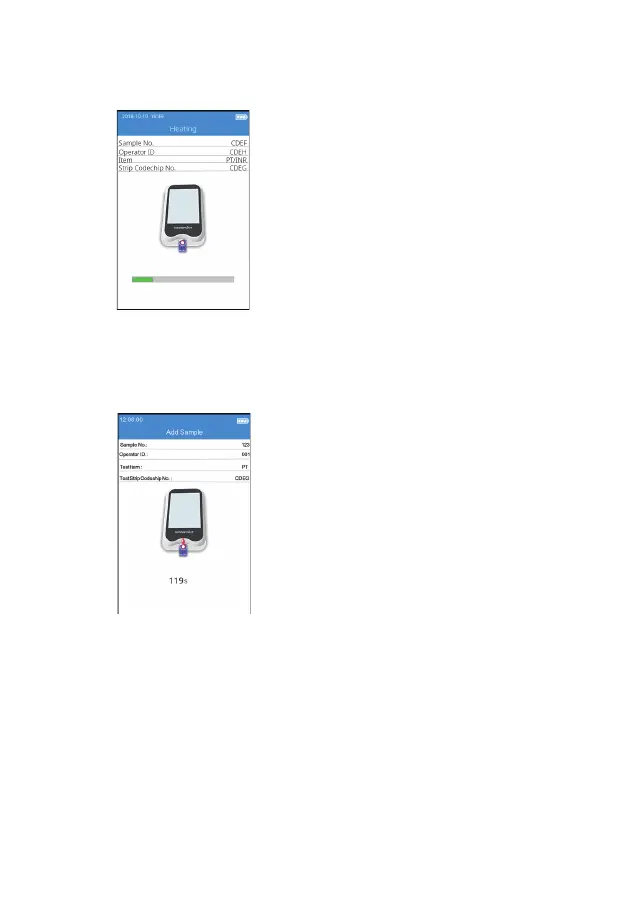
After the test strip is inserted and its
Codechip is installed, the instrument
will enter the heating state, and
the screen will display the heating
progress (Figure 4-5).
8.6 Add Sample
The system will count down and
prompt the user to add sample
(Figure 4-6) upon the completion of
heating, and the sample must be
added within 120 seconds. Do not
move the instrument or your ngers
during sample adding. If the sample
is not added properly within 120
seconds, the system will deliver an
error message indicating sample
adding is timeout.
8.6.1 Getting a Fingerstick Sample
Proper ngerstick technique is bene cial to both the professional user and
the patient. A proper ngerstick will ensure minimal discomfort for the
patient and accurate test results for the user. Please sanitize the site of the
ngerstick with alcohol wipe before testing.
1. Maximize Blood Circulation
1) If needed, brie y warm the hand in warm water or with a
(4-6)
(4-5)



 To Next Page