32
(4-8)
8.8 Test Results
Please check the strip insert for the results and explanation.
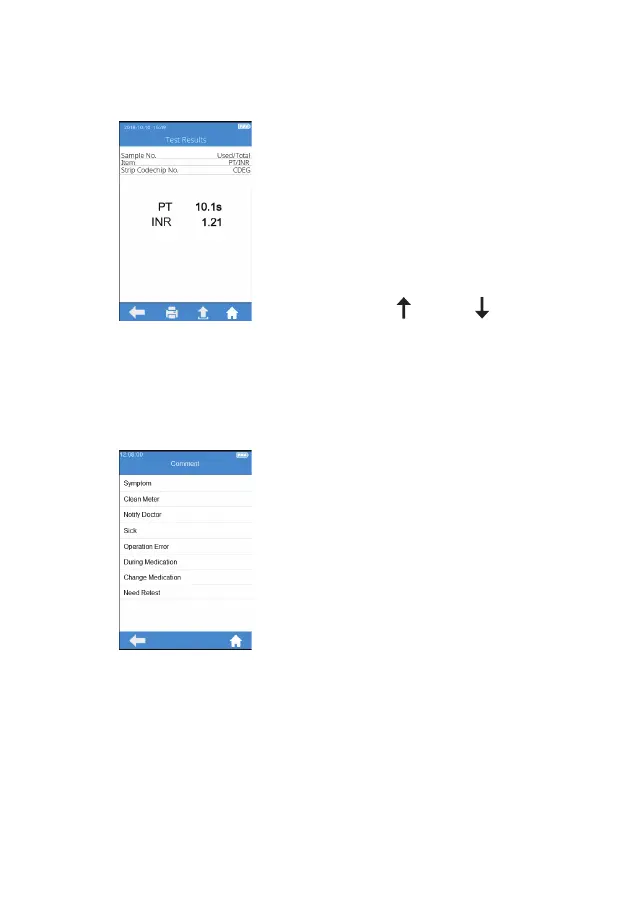
The system will display the test
results after the test is completed
(Figure 4-8). The test results can
be printed or uploaded, provided
that the instrument is properly
connected to the printer or server.
When the result is out of the normal
range, the system will prompt that
the result is (high) or (low).
From Query Result screen, touch
"Comment" icon to add a comment
to the test result (Figure 4-9). You
can select 3 comments for each
test result at most. The comment
can be selected from the software
predefinition and will be displayed
under the result. The available
comments include: Symptom,
Clean Meter, Notify Doctor, Sick,
Operation Error, During Medication,
Change Medication, and Need
Retest.
(4-9)



 To Next Page