1. Connect the FlashPro4 programmer to the J5 connector of the SmartFusion2 Security Evaluation Kit
board.
2. Connect the jumpers on the SmartFusion2 Security Evaluation Kit board as shown in the following
table.
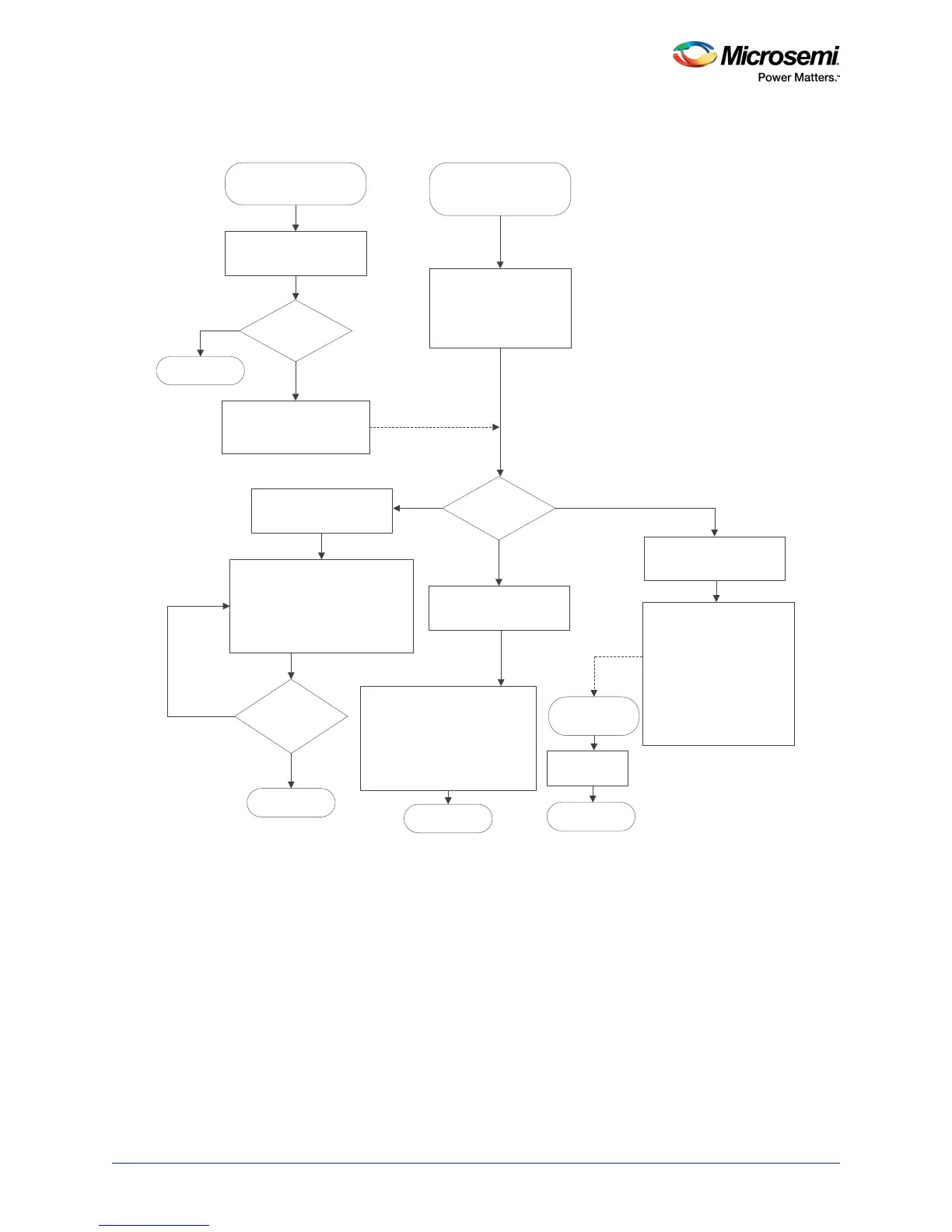
Start GUI application on
host PC
Inialize the PCIe
communication with
SmartFusion2 Device
Send the programming
file (*.spi) contents or IAP
operation commands to the
SmartFusion2 device
Start SmartFusion2
CortexM3 user application
Is PCIe Link
with SmartFusion2
success?
Initialize the application
Configure the PCIe
Intialize the SPI_0 Flash
Initialize the system controller
Yes
No
Report an error
and stop the GUI
Command from
GUI?
1. Get the 2 KB block of data from GUI
and store to LSRAM
2. Write 2 KB data from LSRAM to SPI
Flash
3. Send ACK to GUI and request for
next 2 KB block of data
Get the Programming file size
and erase the SPI_0 flash
memory
Is the *.SPI file
transferred
completely?
Stop
Yes
No
File
Transfer
Initiate the IAP service with
requested IAP operation
mode
Authenticate/
Verify
1. System controller reads the
bitstream from SPI flash to
execute the requested IAP operation
2. Notifies the GUI with status code
on completion of the IAP operation
Initiate the IAP service with
PROGRAM IAP operation
1. System controller reads
bitstream from SPI flash to
execute the PROGRAM IAP
operation
2. On successful IAP pogram
operation, System controller
generates the internal device
reset for new design to take
effect
Start new design
application
New design
execution
Stop
Stop
Program
PCI Interface




 To Next Page