In-Application Programming Using PCIe Interface
DG0584 Demo Guide Revision 5.0 16
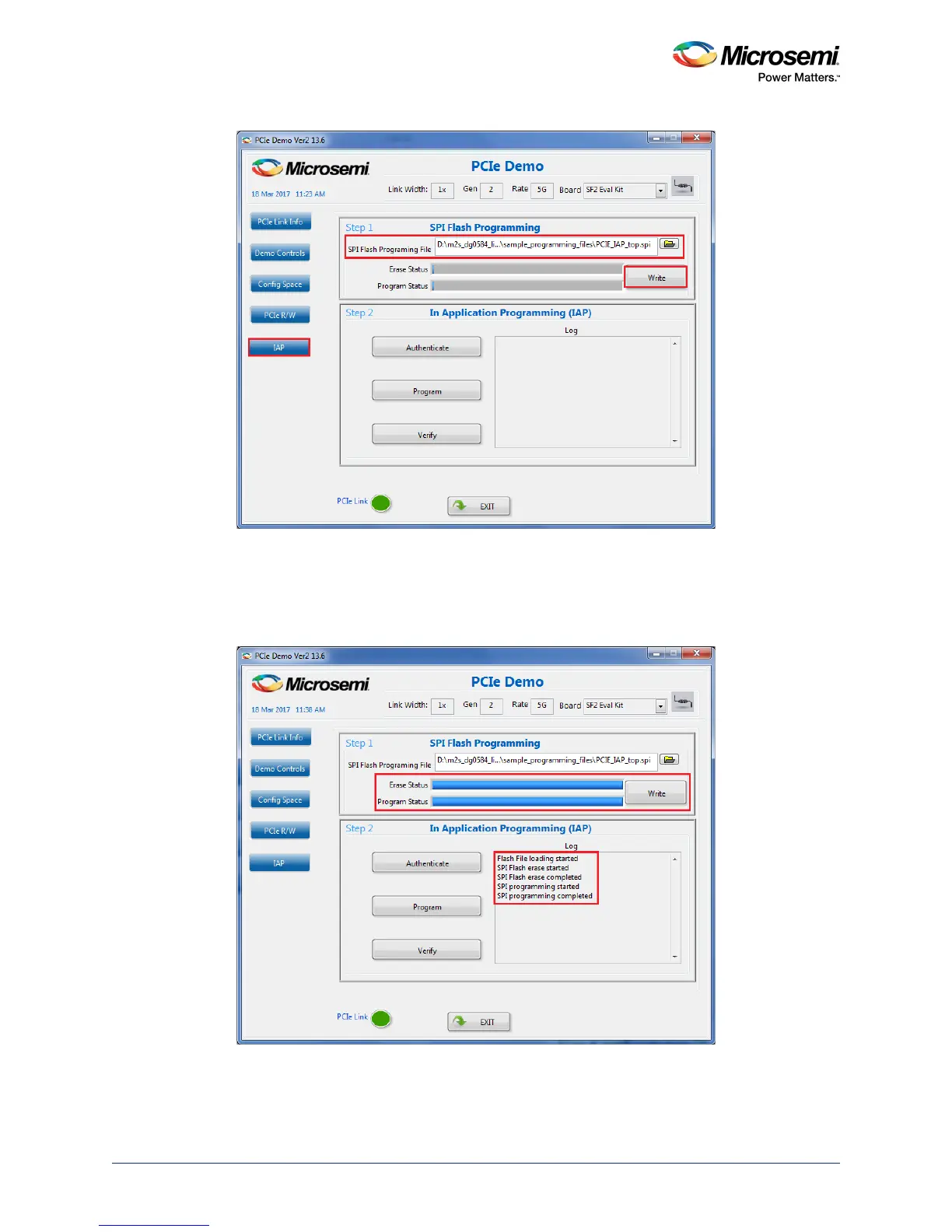
Figure 19 • Selecting Programming File in PCIe_Demo Application
3. Click write to move the programming file to the external SPI Flash memory. The SPI Flash memory
is erased according to the programming file size and the programming file bitstream is written to the
SPI Flash memory. The status of the SPI Flash erase and SPI Flash program operations can be
observed on the status bars and also using the messages on the log window, as shown in the
following figure.
Figure 20 • SPI Flash Programming




 To Next Page