In-Application Programming Using PCIe Interface
DG0584 Demo Guide Revision 5.0 18
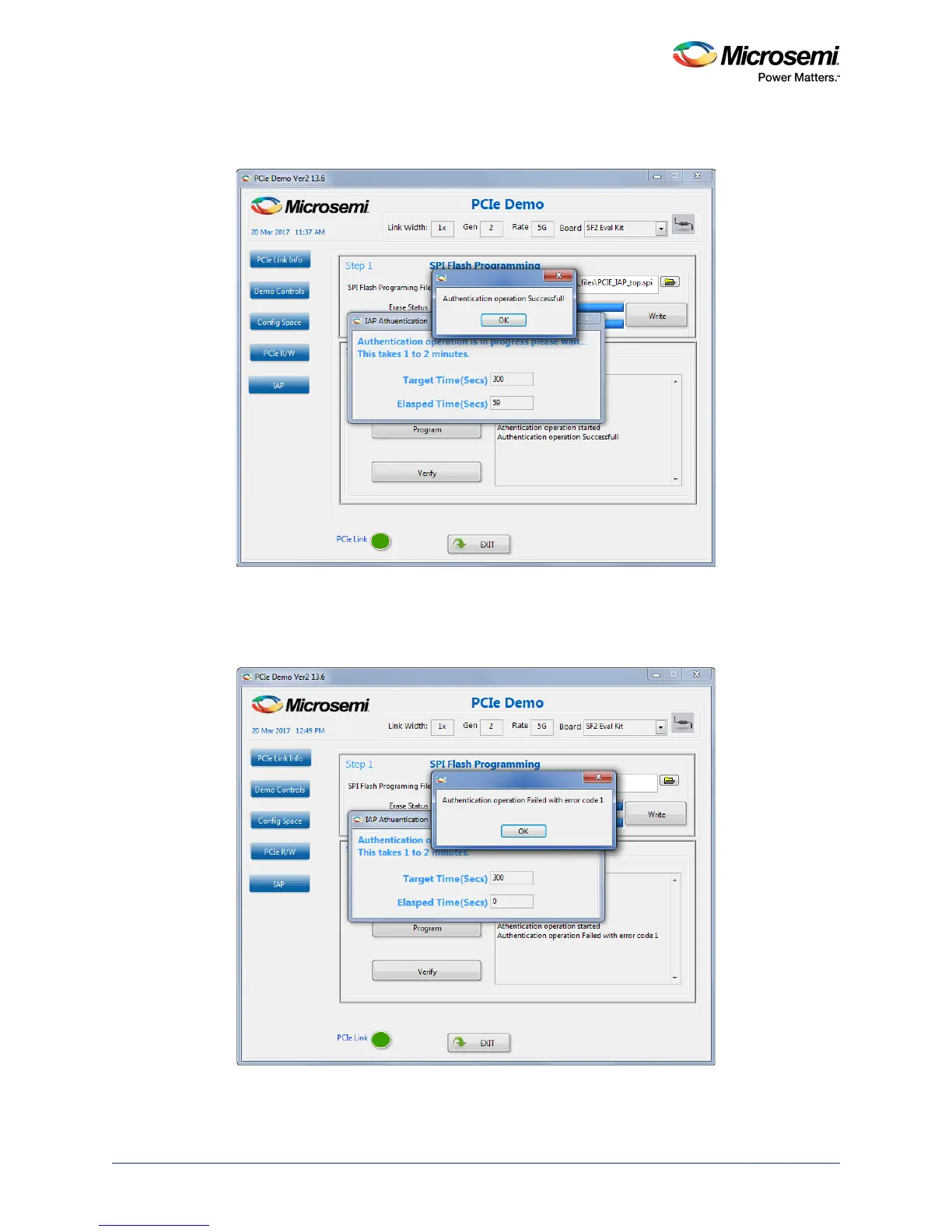
On completion of the IAP authentication, the GUI displays an Authentication operation success-
ful message as shown in the following figure.
Figure 22 • Authentication Success Message in PCIe Demo GUI
The demo GUI also provides an option to create an authentication failure scenario, which can be
achieved by modifying the programming file (*.spi) contents and running the authenticate operation.
The following figure shows a sample authentication failed error scenario message. For information
about error codes, see Appendix: Error Codes, page 24.
Figure 23 • Authentication Failed




 To Next Page