In-Application Programming Using PCIe Interface
DG0584 Demo Guide Revision 5.0 12
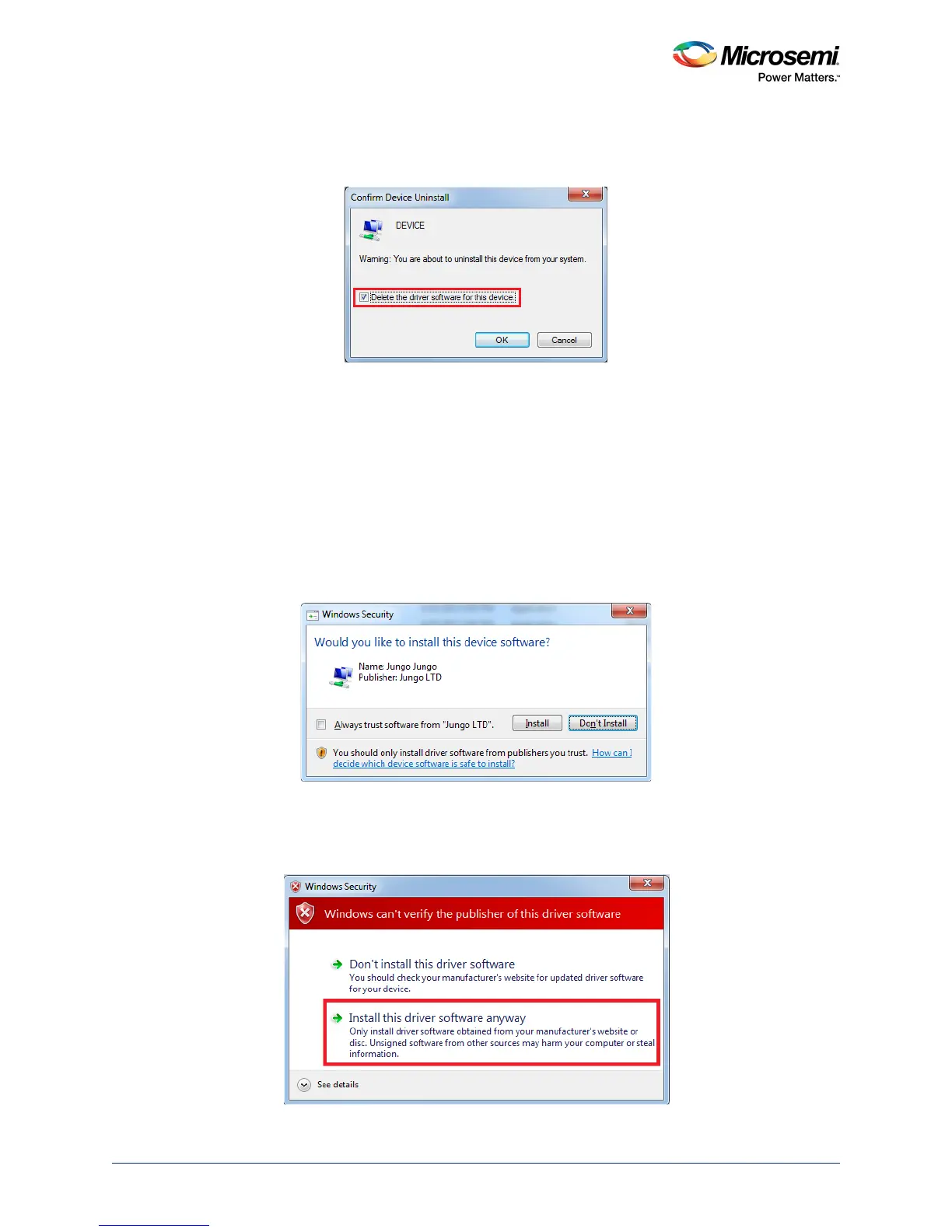
•In the Confirm Device Uninstall dialog box, select Delete the driver software for this device
and click OK, as shown in the following figure. After uninstalling previous Jungo drivers, ensure
that the PCI device is detected in the Device Manager window.
Figure 11 • Confirm Device Uninstall Dialog
2.6 Drivers Installation
The PCIe demo uses a driver framework provided by Jungo WinDriverPro.
The following steps describe how to install the PCIe drivers on the host PC:
1. Extract the PCIe_Demo.rar to drive C. The PCIe_Demo.rar is at
<download_folder>\sf2_iap_using_interface_demo_df \pcie_driver\
Drivers_64bitOS\PCIe_Demo.rar
2. Run the batch file Jungo_KP_install.bat located at C:\ PCIe_Demo\DriverInstall\
Note: Installing these drivers require administration rights.
3. When the Windows Security dialog box appears asking to install or not, click Install.
Figure 12 • Jungo Driver Installation
Note: If the installation fails, invoke the Command Prompt in administrator mode and run the batch file
Jungo_KP_install.bat located at C:\PCIe_Demo\DriverInstall\
4. When the Windows Security dialog box appears, click Install this driver software anyway.
Figure 13 • Windows Security




 To Next Page