In-Application Programming Using PCIe Interface
DG0584 Demo Guide Revision 5.0 9
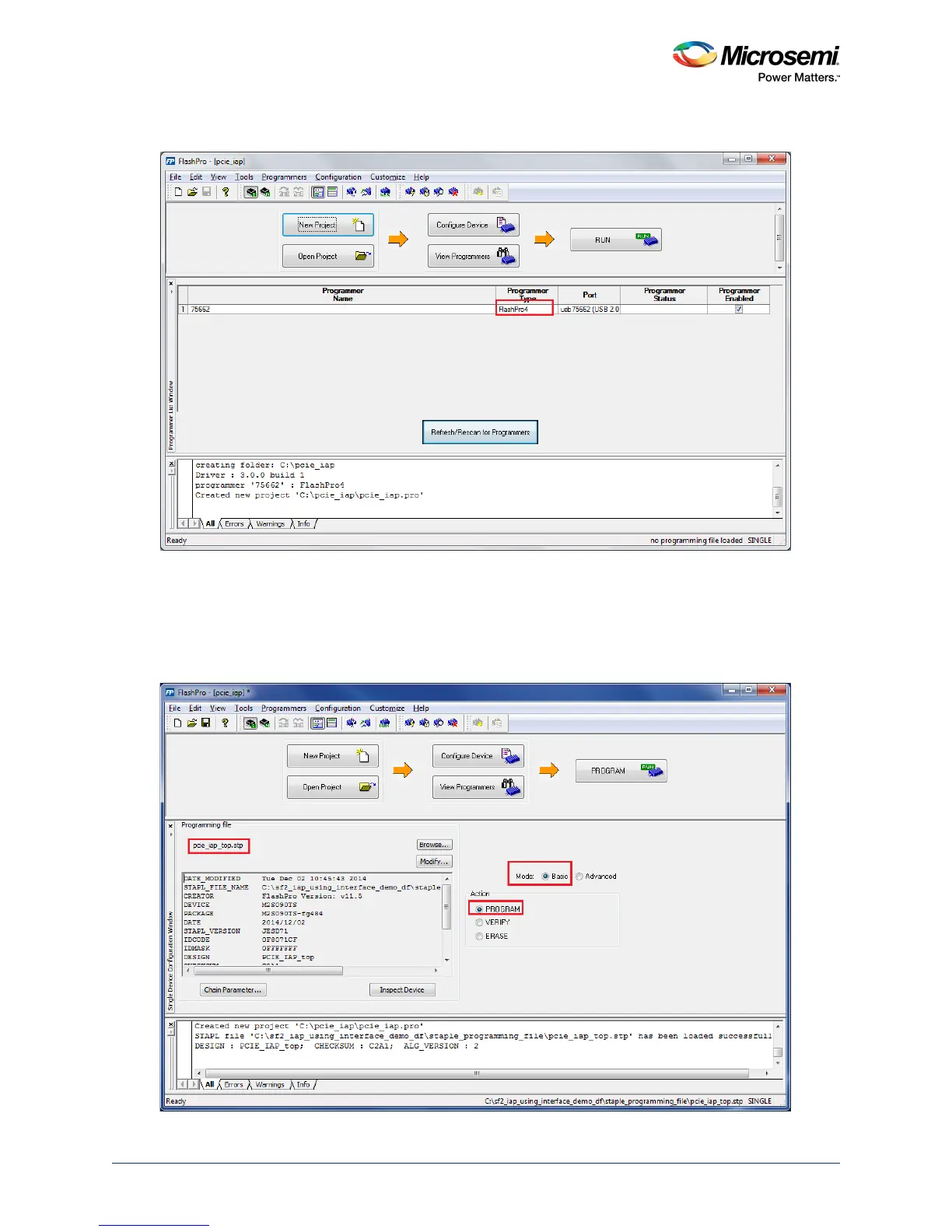
The following figure shows the programmer type as FlashPro4.
Figure 6 • FlashPro4 Programmer Type
The following steps describe how to configure the device:
1. Click Configure Device.
2. Click Browse and navigate to the location where pcie_iap_top.stp is located and select the file. The
default location is: <download_folder>\sf2_iap_using_interface_demo_df\stapl_programming_file
3. Click Open. The required programming file is selected and is ready to be programmed in the device.
Figure 7 • FlashPro Project Configuration




 To Next Page