In-Application Programming Using PCIe Interface
DG0584 Demo Guide Revision 5.0 14
2.7 Running the Demo Design
The following steps describe how to run the demo design:
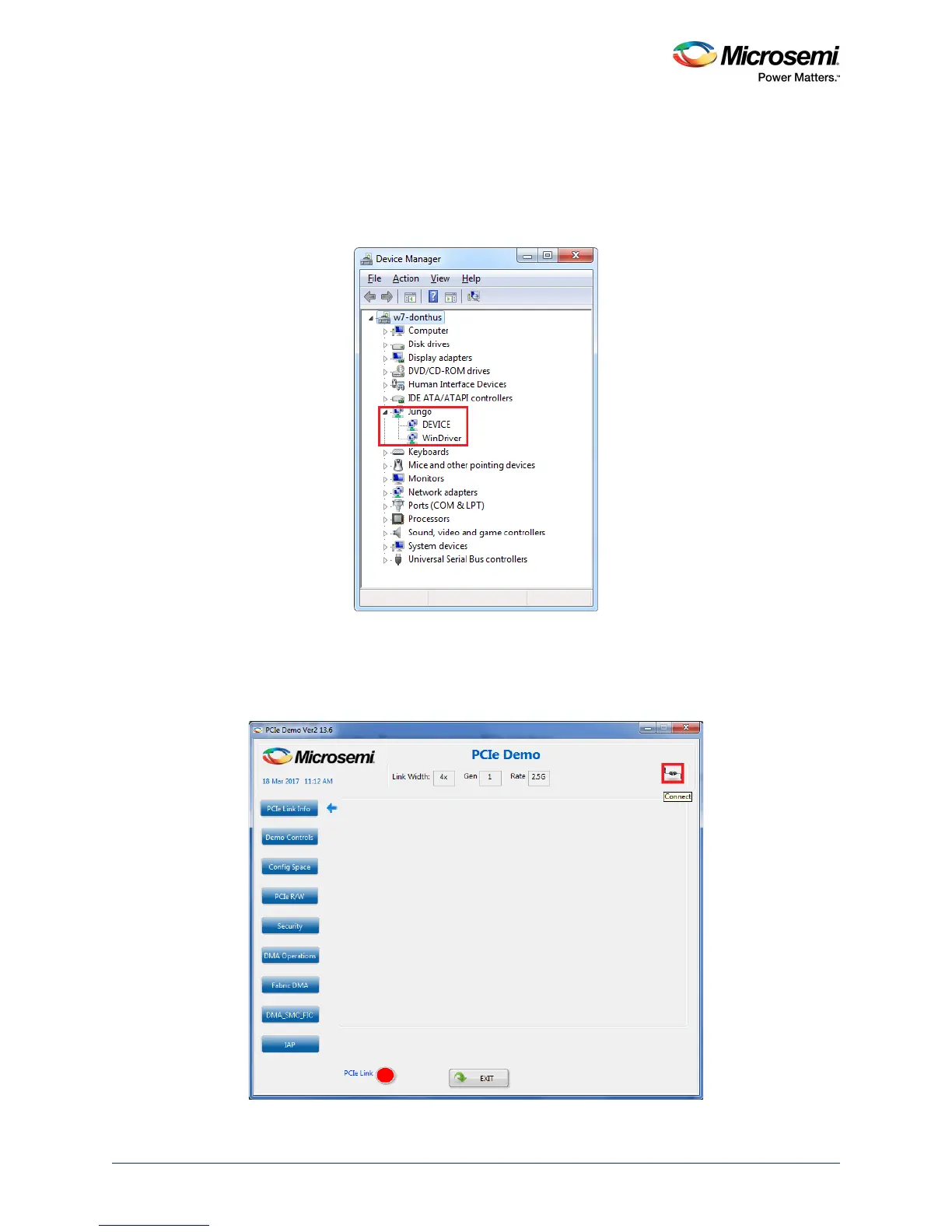
1. Check the host PC Device Manager for the drivers. If the device is not detected, power cycle the
SmartFusion2 Security Evaluation Kit board and click scan for hardware changes in Device
Manager. Ensure that the board is switched ON.
Figure 16 • Device Manager - PCIe Device Detection
Note: If a warning symbol appears on the DEVICE or WinDriver icons in Device Manager, uninstall them and
start from step1 of Drivers Installation, page 12.
2. Invoke the GUI from All Programs > PCIeDemo > PCIe Demo GUI. The GUI is displayed as shown
in the following figure.
Figure 17 • PCIe Demo GUI




 To Next Page