Appendix: Generating .spi Programming File using Libero
DG0584 Demo Guide Revision 5.0 25
5 Appendix: Generating .spi Programming File
using Libero
The following steps describe how to generate .spi programming file using Libero:
1. Launch the Libero SoC software to open a project for the iap_fabric_and_envm.spi programming
file. The Libero design file is provided in
<download_folder>\sf2_iap_using_interface_demo_df\smaple_programming_files\fabric_and_
envm.
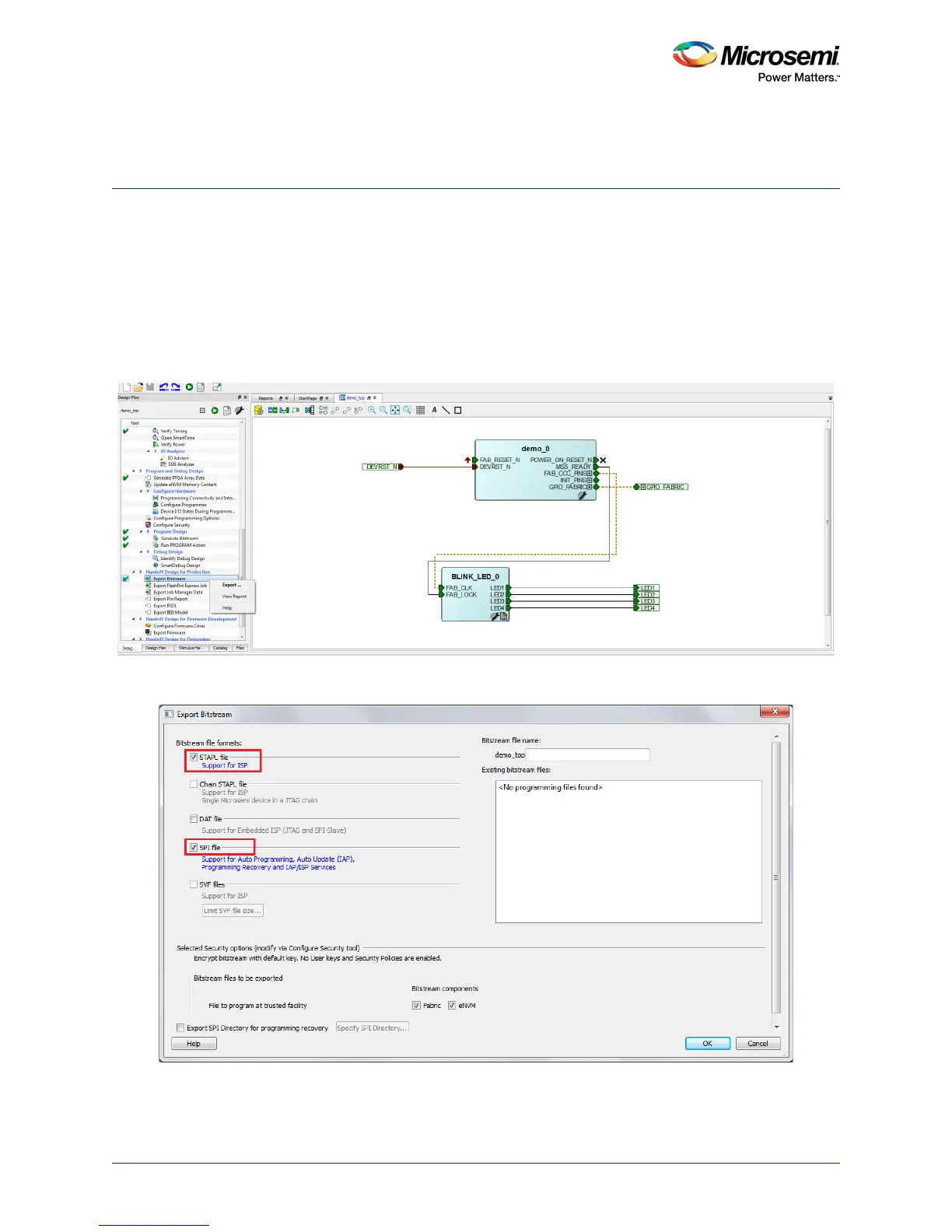
2. Right-click Export Bitstream under Handoff Design for Production in the Design Flow tab, and
click Export… from the context menu.
Figure 30 • Configuring Export Bitstream
3. Select the SPI file check box in the Export Bitstream window.
Figure 31 • Export Bitstream Window
4. Click OK.




 To Next Page