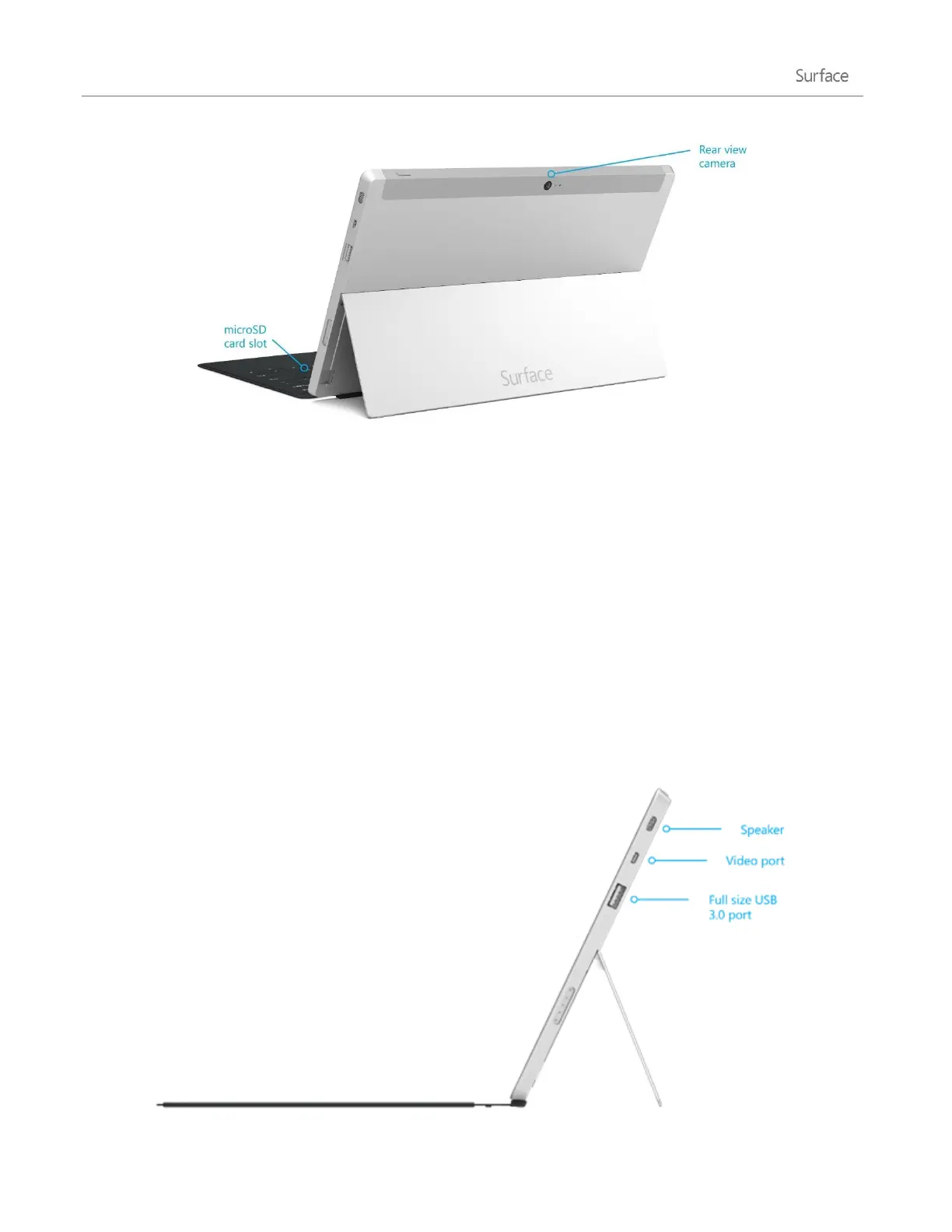
HD video out port
Share videos, photos, or presentations by connecting Surface to an HDTV,
monitor, or projector (adapters and cables sold separately). See Connect
to a TV, monitor, or projector for more info.
Full-size USB 3.0 port
Connect USB accessories—like a mouse, phone, or an Ethernet adapter.
See Connect devices for more info.
microSDXC card reader
Use the microSDXC card reader (behind the kickstand) for extra storage or
transferring files. See Storage, files, and backup for more info.
Charging port and 24-watt power supply
Connect the included power supply when your battery is low. See
Charging for more info.












 To Next Page