122
Sanitising or cleaning the RO Cartridge(s), Continued
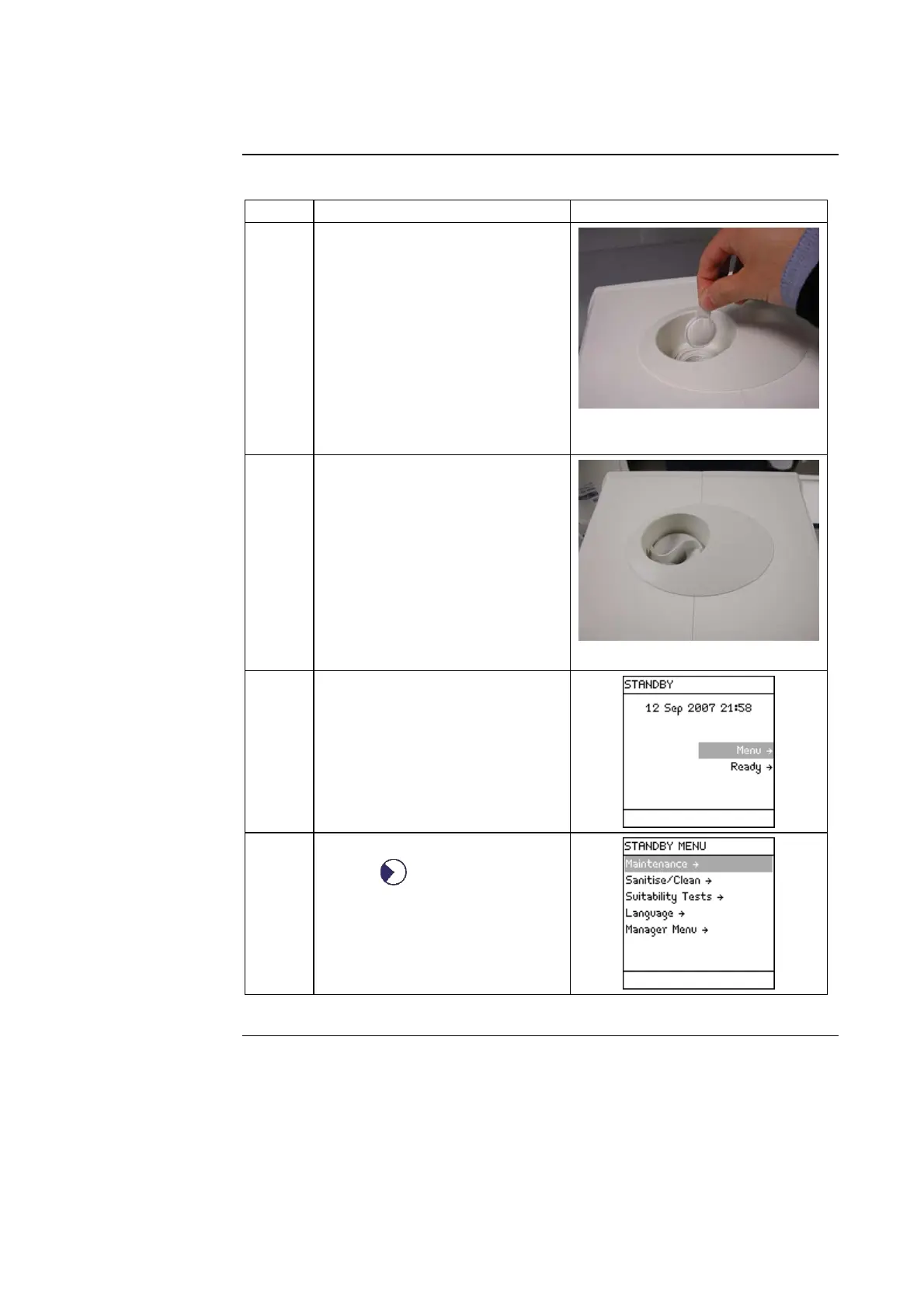
Cleaning
Step Action Diagram
1 Place a cleaning agent pouch
(ROClean™ A or ROClean B)
into the Sanitisation Port.
2 Put the cap back on and tighten
it.
NOTE:
The chemical in the pouch will
dissolve during the pH
Cleaning sequence. Remove
the empty pouch the next time
the Santisation Port cap is
removed.
3 Go to STANDBY Mode.
4
• Select <Menu>.
• Press .
Continued on next page





 To Next Page