123
Sanitising or cleaning the RO Cartridge(s), Continued
Cleaning
(continued)
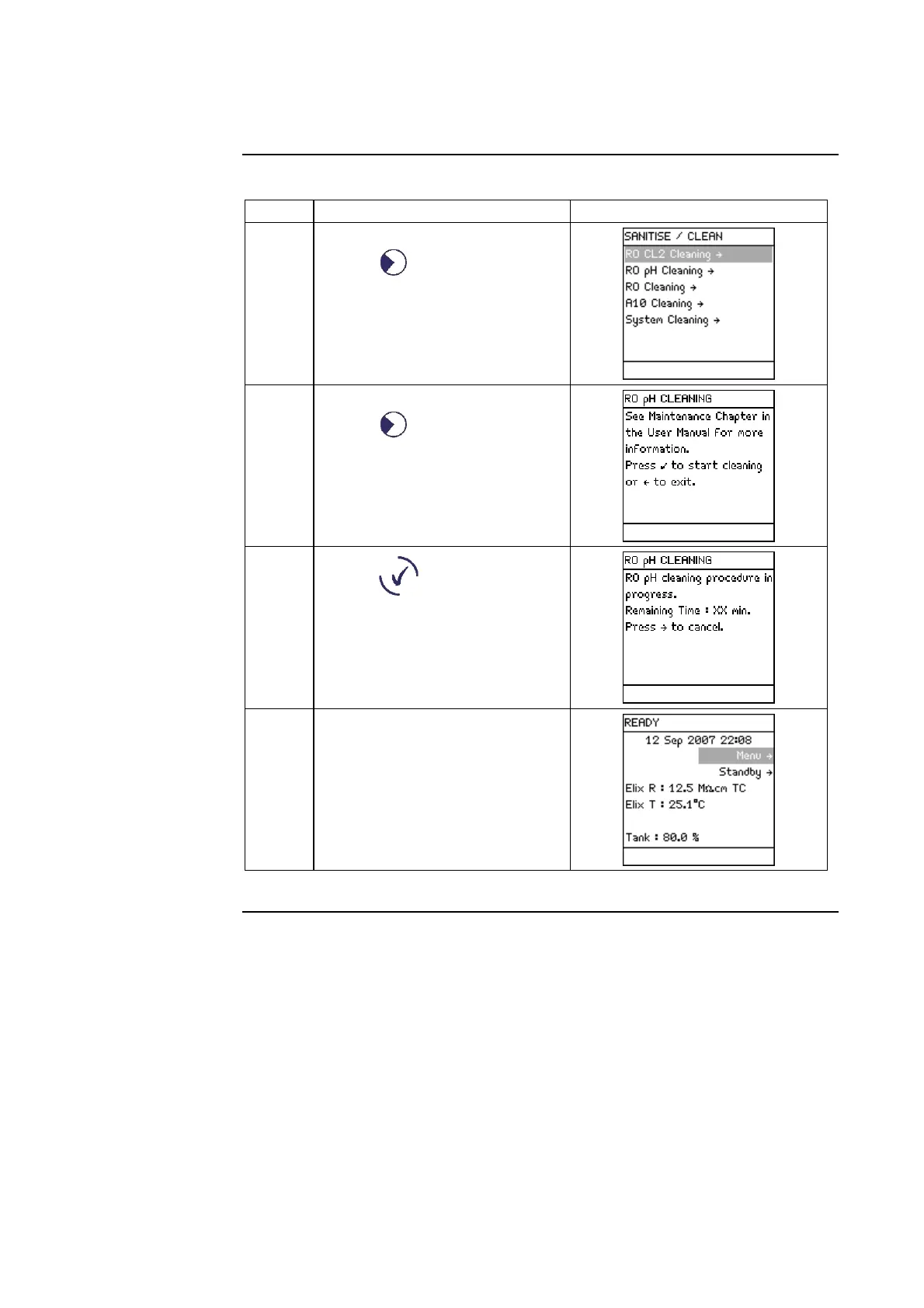
Step Action Diagram
5
• Select <Sanitise/Clean>.
• Press .
6
• Select <RO pH Cleaning>.
• Press .
7
• Press .
• The RO pH cleaning will last
142 minutes.
8 When the pH Cleaning is
finished, the Milli-Q System
automatically returns to
READY Mode.





 To Next Page