19
Q-POD Unit, Continued
Keypad
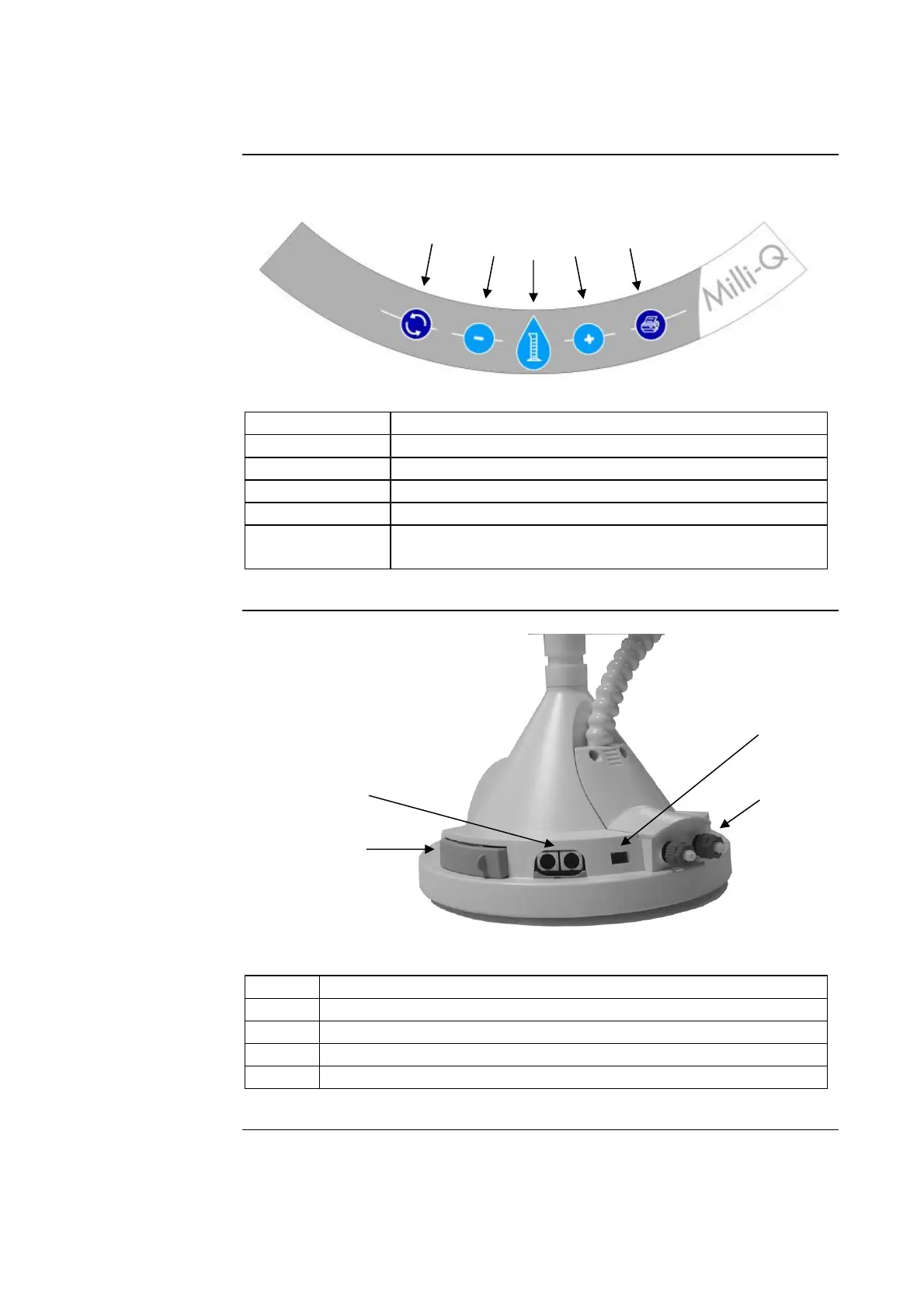
The Q-POD Keypad is shown and explained here.
Item Description
A Press to start Milli-Q Water Recirculation
B Decrease volume
C Press to start volumetric dispensing
D Increase volume
E Press to get Instant Quality printout (if a printer is
connected to the Q-POD Unit)
Connections
Item Description
A Printer cable connection
B PS/2 cable and Termination Plug connections
C Footswitch connection
D RC-Link tubing connections
Continued on next page
A
C
B
D
A
B
C
D
E







 To Next Page