87
Printing, Continued
Instant Quality
Report from
Main Display
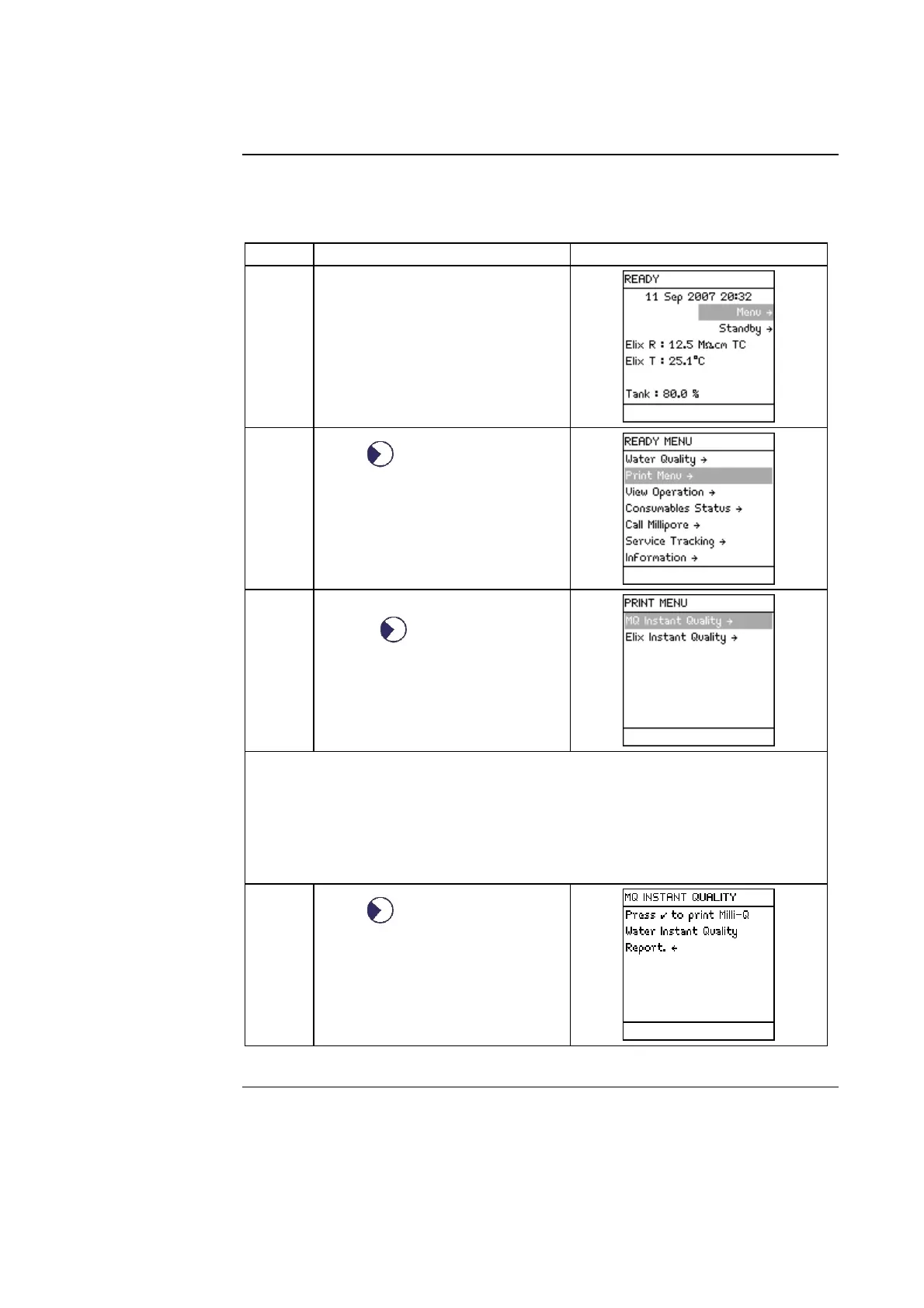
Follow the steps below to obtain an Instant Quality Report from the Main
Display.
Step Action Diagram
1
• Make sure the Milli-Q System
is in READY Mode.
• Select MENU.
2
Press .
3
• Select <Print Menu>.
• Press .
NOTE:
• For a Milli-Q Instant Quality Report, the Q-POD Unit should be
dispensing.
• For an Elix Instant Quality Report, the Milli-Q System should be filling
the Reservoir or an E-POD Unit should be in use.
4
Press
.
Continued on next page







 To Next Page