6
3 Icons on the Screens
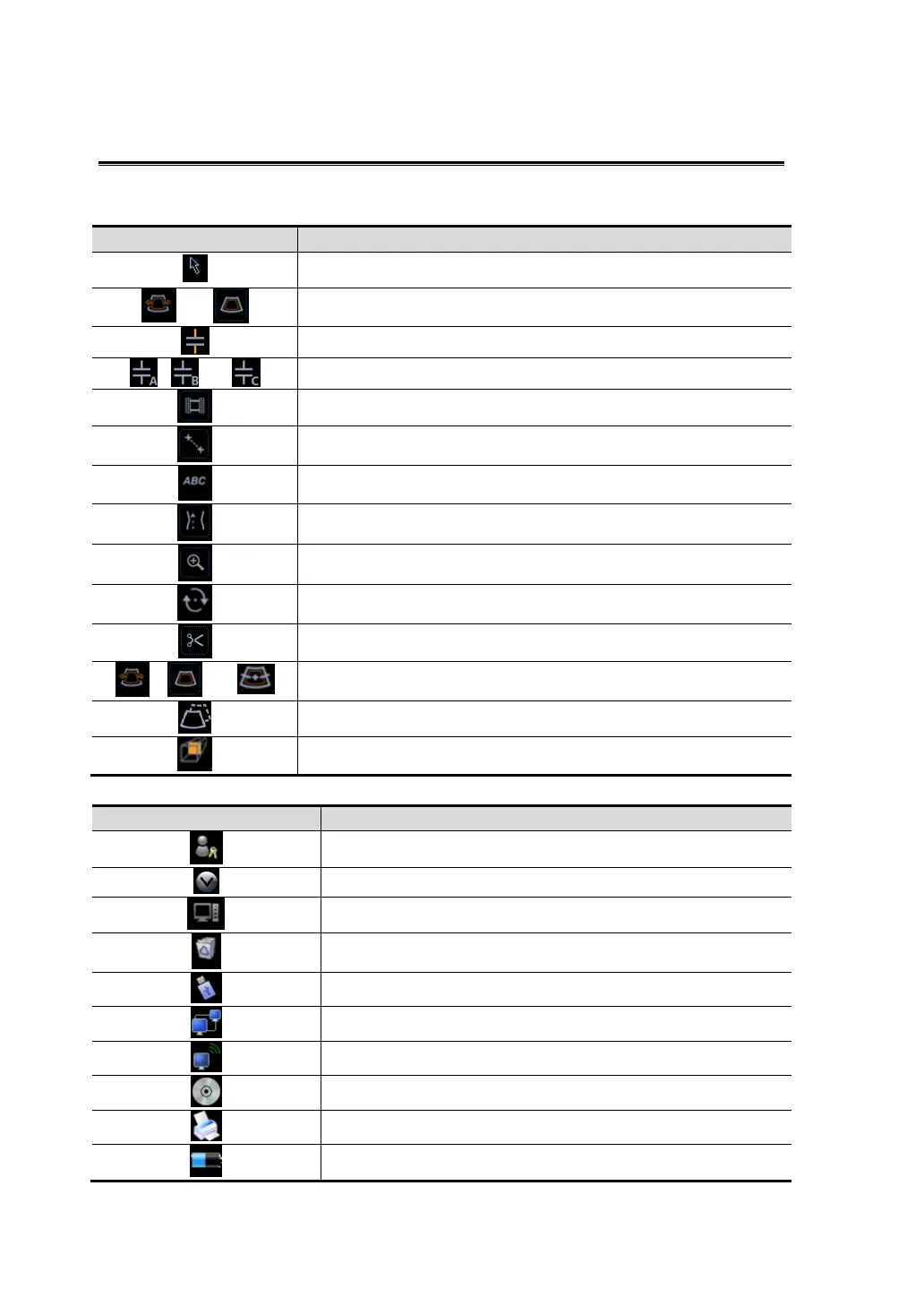
System status icons
:
Icons Information
Free cursor
Or
Region of Interest (ROI) size or position adjustment
Sample volume(SV) or M sampling line adjustment
, or
M-mark line adjustment in free Xros mode
Cine Review status
Measurement Status
Comment status
Body Mark Status
Zoom status
Sphere-center rotation in 3D/4D imaging mode
3D/ 4D cutting status
, or
ROI adjustment in 3D/ 4D mode
Move the sphere center of 3D/4D image
Sectional image viewing in 3D/4D mode
Icons in status bar(in the lower right corner of the screen)
Icon
Information
Session manager
Click to show the hided icons
To show the animal task management
Recycle bin
This icon appears when a USB device is connected
Network connection
Wireless LAN connection
Optical disk operation
Printer management
Battery capacity indication



 To Next Page