1
1 System Introduction
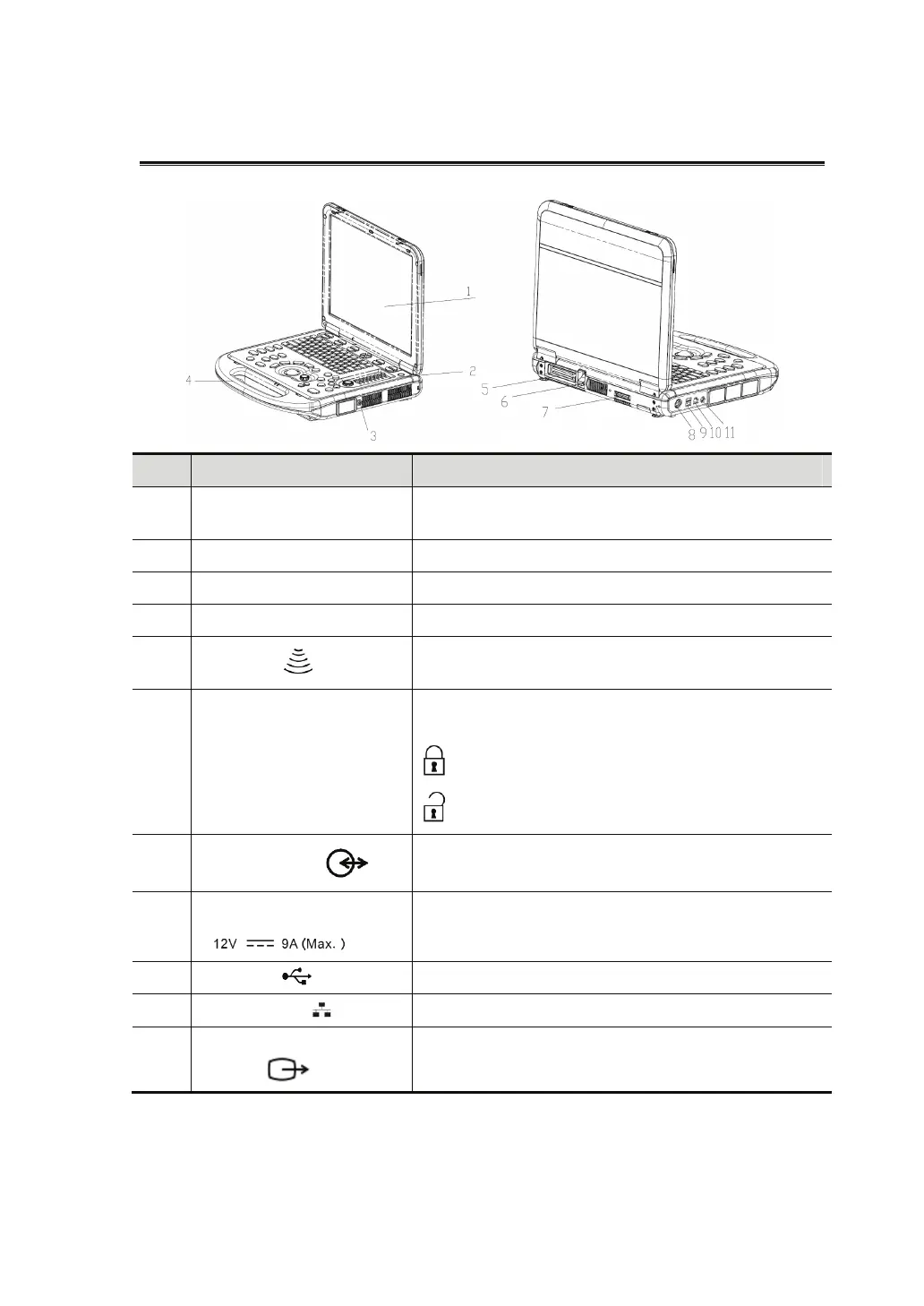
No. Name Function
1 Monitor
Displays the images and parameters during
scanning.
2 Control Panel Operator-system interface or control.
3 Probe port Connects the pencil probe
4 Handle Used for carrying the system.
5
Probe port
Connects a probe to the main unit; or connects a
probe extend module.
6 Transducer locking lever
Locks or unlocks the probe connected with the
main unit.
:
locked symbol
: unlocked symbol
7
I/O extend port
Connects the I/O extend module.
8
Power input port
Connects the power adapter.
9 USB port Connects USB devices.
10
Network port
Connects the network.
11
S-Video separate video
output
Connects DVR recorder or video printer.



 To Next Page