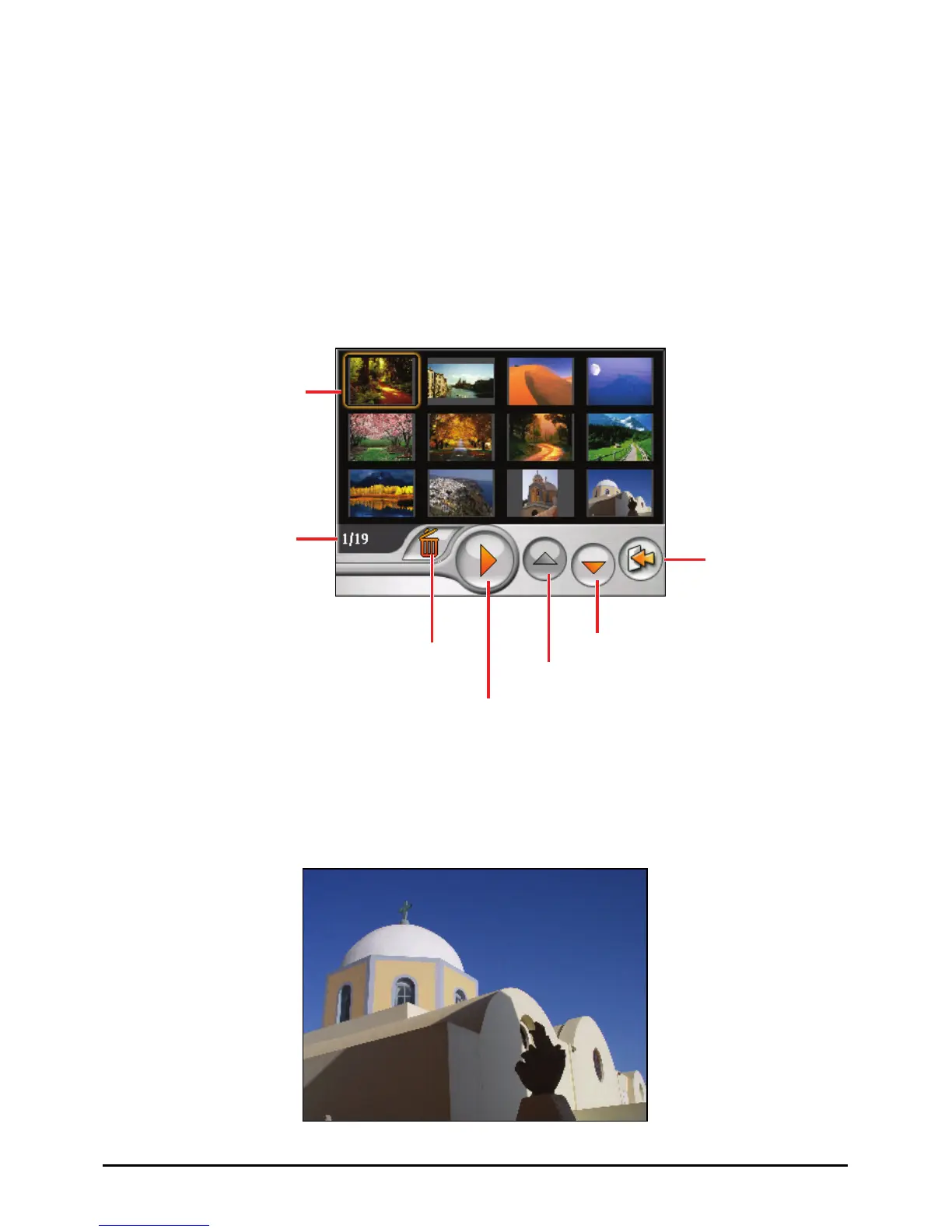
6.3 Viewing Pictures in Thumbnail View
1. If your files are in a storage card, insert the card into your device.
2. Tap the
Photo button on the Home screen to start the program.
3. The program will search the matching files in the specific folder on your
device and in all folders on a storage card. It then displays the pictures in the
thumbnail view. You can press the
Up or Down arrow button to go to next or
previous page.
A frame indicates the
picture is selected.
Delete the
selected picture.
Selected file/
Total number of files
Page down
Start the slideshow.
Page up
Exit
6.4 Viewing a Picture in Full Screen
When you tap a picture twice in the thumbnail view, the picture is displayed in full
screen.
40



 To Next Page