Directory
32
Checking or calling from the personal directory (with external directories configured
and activated)
Press the Pers. dir. key. (Voir “Description of the terminal”,
page 1)
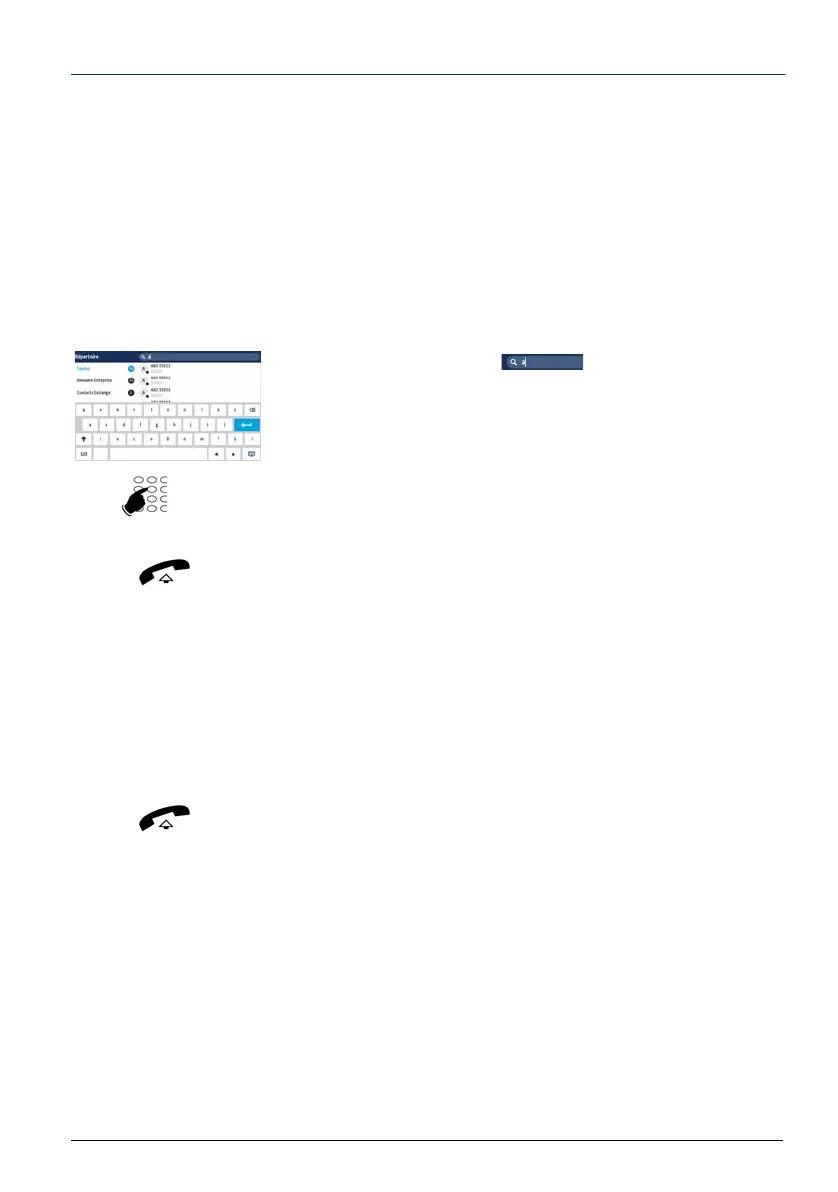
-> the list of available directories (internal and external) is
displayed on the left side, together with the number of
recordings per directory.
-> On the right side, use the arrows to scroll through the
recordings for each directory.
-> For a quick search,
1 - For a quick search in the search area (on the top
right side), use the displayed alphabetic keypad to enter the
character string on which you wish to make the search.
As you enter the letters, the corresponding names are
displayed in the upper part of the screen.
The search is applied to all the directories (internal and
external).
2 - Select the subscriber to call
.
3 - If the record contains several phone numbers, select the
corresponding label up till the number to call then lift the
handset or press Dial.
-> For a search by directory,
1 - Select the directory concerned (on the left side of the screen).
2 - Select the subscriber concerned by this directory (list by the
right).
3 - Select the subscriber to call
.
4 - If the record contains several phone numbers, select the
corresponding label up till the number to call then lift the
handset or press
Dial.


 To Next Page
 Loading...








