48
Mobile Intégration
The Mitel 6940 SIP Phone supports mobile integration, a feature that provides seamless-
mobile integration using Bluetooth wireless technology. Mobile integration highlights in-
clude the ability to:
• Sync your mobile phone’s contact list with your 6940 SIP Phone.
• Answer a mobile phone call using your 6940 SIP Phone.
• Move active calls between the 6940 SIP Phone and your mobile phone.
Remarque : Mobile Integration features are available only if your Administrator has en-
abled them. Contact your Administrator for details on how to enable mobile integration on
your phone.
Pairing a mobile phone using Bluetooth
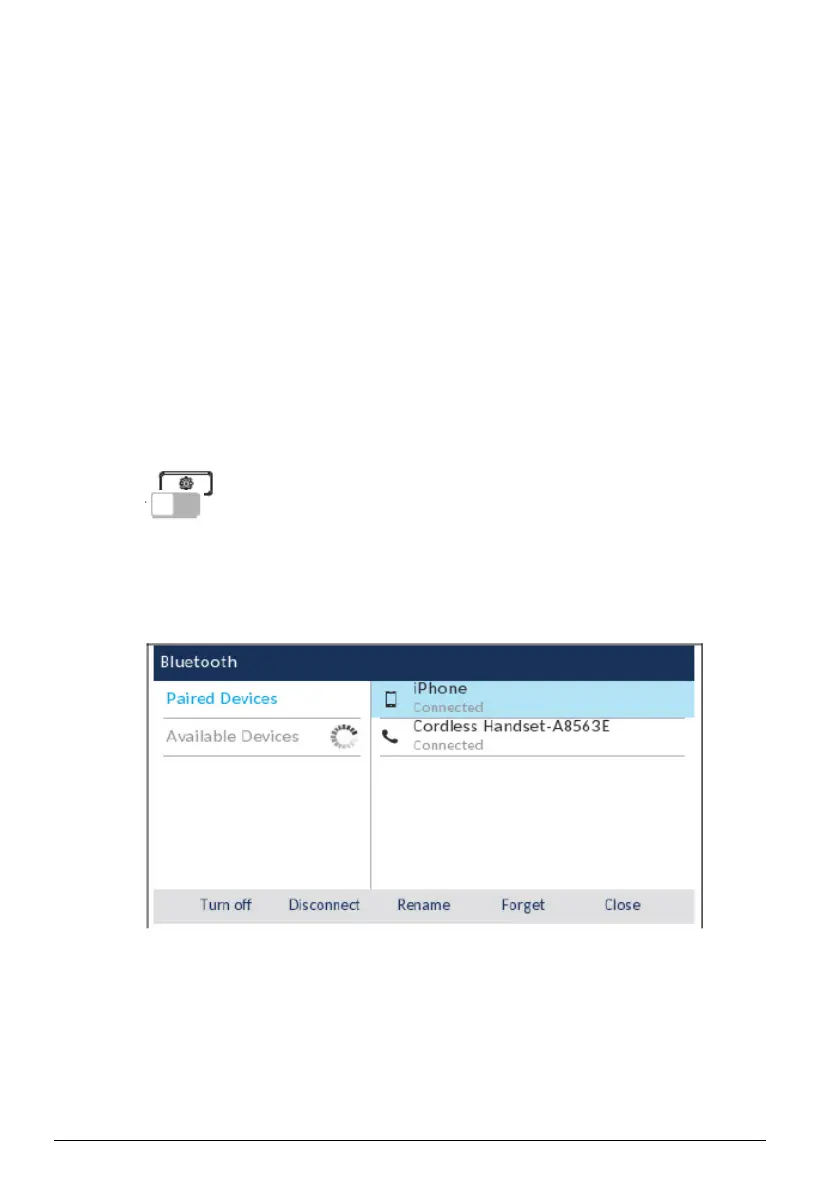
• Press the key and tap the Bluetoothicon,
• Swip the toggle switch to the right to enable Bluetooth functionality. Ensure your
mobile phone is discoverable as the Mitel 6940 SIP Phone automatically scans for
available Bluetooth devices.
•
Remarque : For information on how to make your mobile phone Bluetooth discoverable,
refer to the documentation provided with your respective mobile phone.
• When your mobile phone has been discovered, use the navigation keys to highlight the
respective entry in the list of available devices and press the Select button or Pair soft-
key.
A Bluetooth pairing request displays on both the Mitel 6940 SIP Phone and your mobile
device.



 To Next Page