EasyManua.ls Logo

MKS 247D - Front Panel Controls

MKS 247D
100 pages
Print Icon
To Next Page IconTo Next Page
To Previous Page IconTo Previous Page
Loading...
Front Panel Controls Cha
p
ter Three: Overview
40
Front Panel Controls
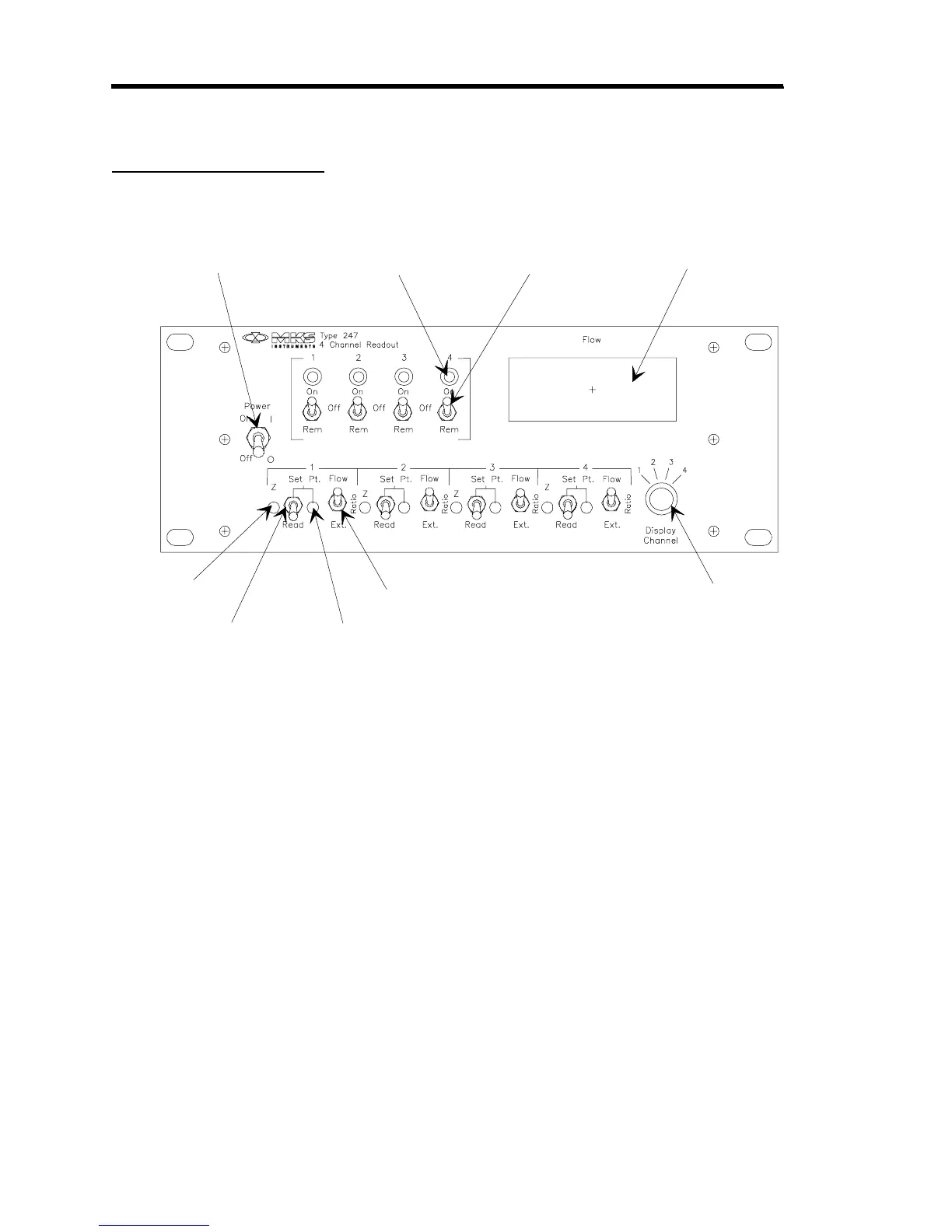
Figure 5 shows the location of the controls on the front panel of the 247 controller.
Flow Control
Switch
Flow Indicator
LED
Power ON/OFF Switch
Zero Control
Read/Set Point Switch
Set Point Control
Set Point Source Switch
Channel Selector
Di
ital Panel Meter
Figure 5: Front Panel Controls
Power ON/OFF Switch
The Power switch controls power to the 247 unit and all attached MFCs.
Flow Indicator LED
This green LED indicates that the set point signal has been applied to the MFC. It does not mean
that flow is occurring or that its value is correct.

Table of Contents

Related product manuals