EVASystemUserManual
No.10LB038
Rev.04
Page22of86
4. TakingtheMobileDeviceoutoftheOpticalUnit
ForusersoftheSANEorEVAWELL(generalgynecology)modelsthemobiledeviceshouldbetakenoutof
theopticalunitwhencapturingfullbodyimagesinCameramode.
FormoreinformationaboutCameramodeseeappendix
4.1. Toremovethemobiledevicefromtheopticalunit(figure14):
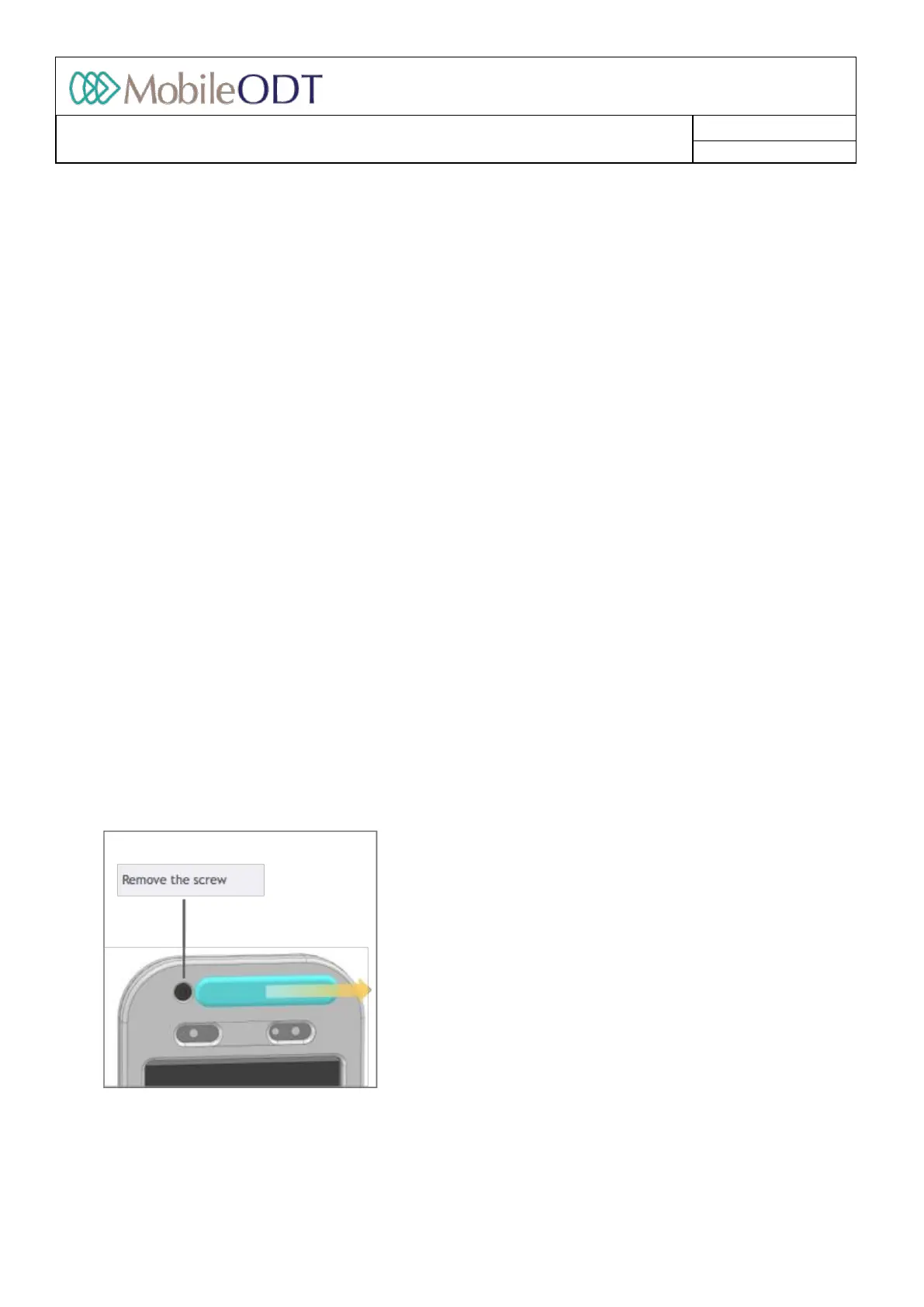
4.1.1. SlidethePhoneReleaseSlideratthetopofthedevicetotheright.
4.1.2. Pushthetopbracketup.
4.1.3. Detachthetopbracketfromtheopticaldeviceandremovethemobiledevice.
4.1.4. Ifatechnicalscrewwasmanuallyaddedtosecurethedevice,removethetechnicalscrewwiththe
providedallenkeybeforeremovingthetopbracket.
Pleasenote:Whenthemobiledeviceisremovedfromtheopticalunittheimagewilllookinverted.Tochangeit
toaregularcameraview,youmustclickonthesettingsiconatthetopoftheimagecapturescreenandswitch
the‘capturemode’settingto‘cameramode.Thiswillallownormal,uninvertedimagingthroughtheEVA
application.
4.2. Toinsertthemobiledeviceintotheopticalunit(figure13):
4.2.1. Placethemobiledevicebackintotheopticalunit.
4.2.2. Pushtheconnectorsofthetopbracketintotheslotsoftheopticalunit,andthenpulldowntofully
engagethetopbracketwiththeopticalunit.
4.3. OPTIONAL:TosecurethephoneintotheEVASystemdevice,preventingusersfromremovingthephonefrom
theopticaldevice(figure14):
4.3.1. Take1technicalscrewandtheallenkeyfromthesparepartskitsincludedinyourshipment.
4.3.2. SlidethePhoneReleaseSlideratthetopofthedevicetotheright.
4.3.3. Placethetechnicalscrewintheallocatedslot.
4.3.4. Usetheallenkeytotightentoscrew.
4.3.5. Providerswithouttheallenkeymaynolongerremovethephonefromtheopticaldevice.
Toremovethemobiledevicefromtheopticalunit:
(figure13)
Toinsertthemobiledeviceintotheopticalunit:
Doc ID: 4baaf484d7f5f01d2b8e5dc0fedc637256236abe



 To Next Page