EVASystemUserManual
No.10LB038
Rev.04
Page81of86
15.4. PerformingVisualCheckassessment
15.4.1. TheVisualCheckassessmentofcervicalimagescanbeperformedfromeitherthepatientrecordviewin
theEVAPortalorfromtheEVAdevicesoftwareapplication.
15.4.2. Onlyimagesthatmeetthequalitycriteriaforassessmentwillbeincluded
15.4.3. ImagesacceptableforVisualCheckareimagesinwhich:
• Thecervixisinfocus
• Allfourquadrantsofthecervixarevisible
• Allofthecervixiswellilluminated
• Nootherartifactsareobstructingtheviewofthecervix
• Thecervixiscleanfromblood,mucusorotherobstructions
15.4.4. Imagesmustbecollectedduringacervicalevaluationthatincludes:
• cleaningofthecervixfrombloodandmucus
• applicationofaceticacid
15.5. RunningtheVisualCheckanalysisfromtheEVAdevice
InordertorunVisualCheckanalysisontheEVAdevice,thefollowingstepsshouldbedone:
15.5.1. Conductacervicalexaminationasperyourstandardguidelines
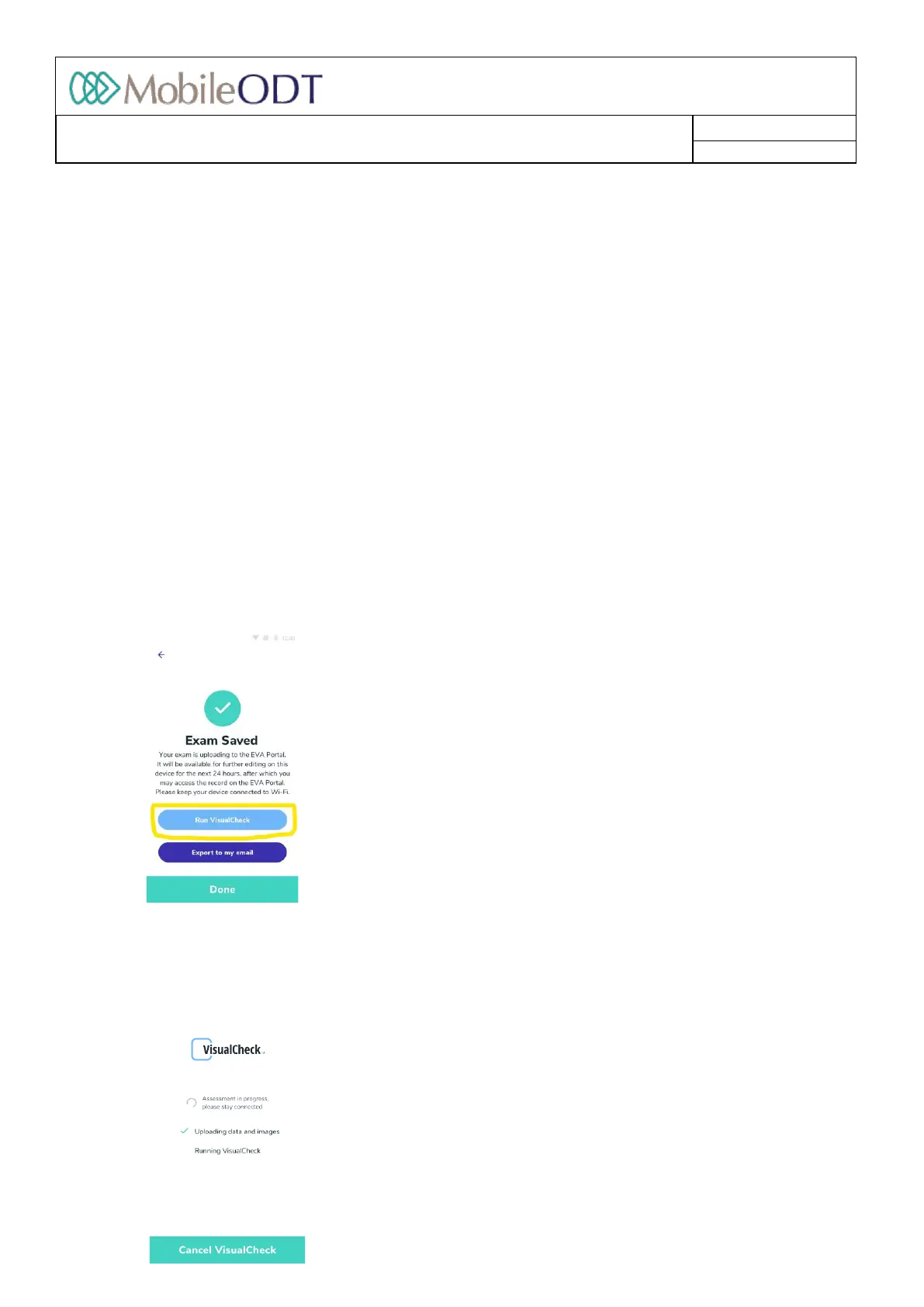
15.5.2. FinishtheexamandyouwillbepresentedwiththeoptiontorunVisualCheck
15.5.3. ClickRunVisualCheckandyouwillbedirectedtotheVisualCheckprogressscreen.
15.5.4. Anindicationoftheprogressoftheprocesswillbeshown.Youwillbeabletocanceltherunwhilethe
exam’sdatasynctothecloudisinprocess.
Doc ID: 4baaf484d7f5f01d2b8e5dc0fedc637256236abe



 To Next Page