EVASystemUserManual
No.10LB038
Rev.04
Page82of86
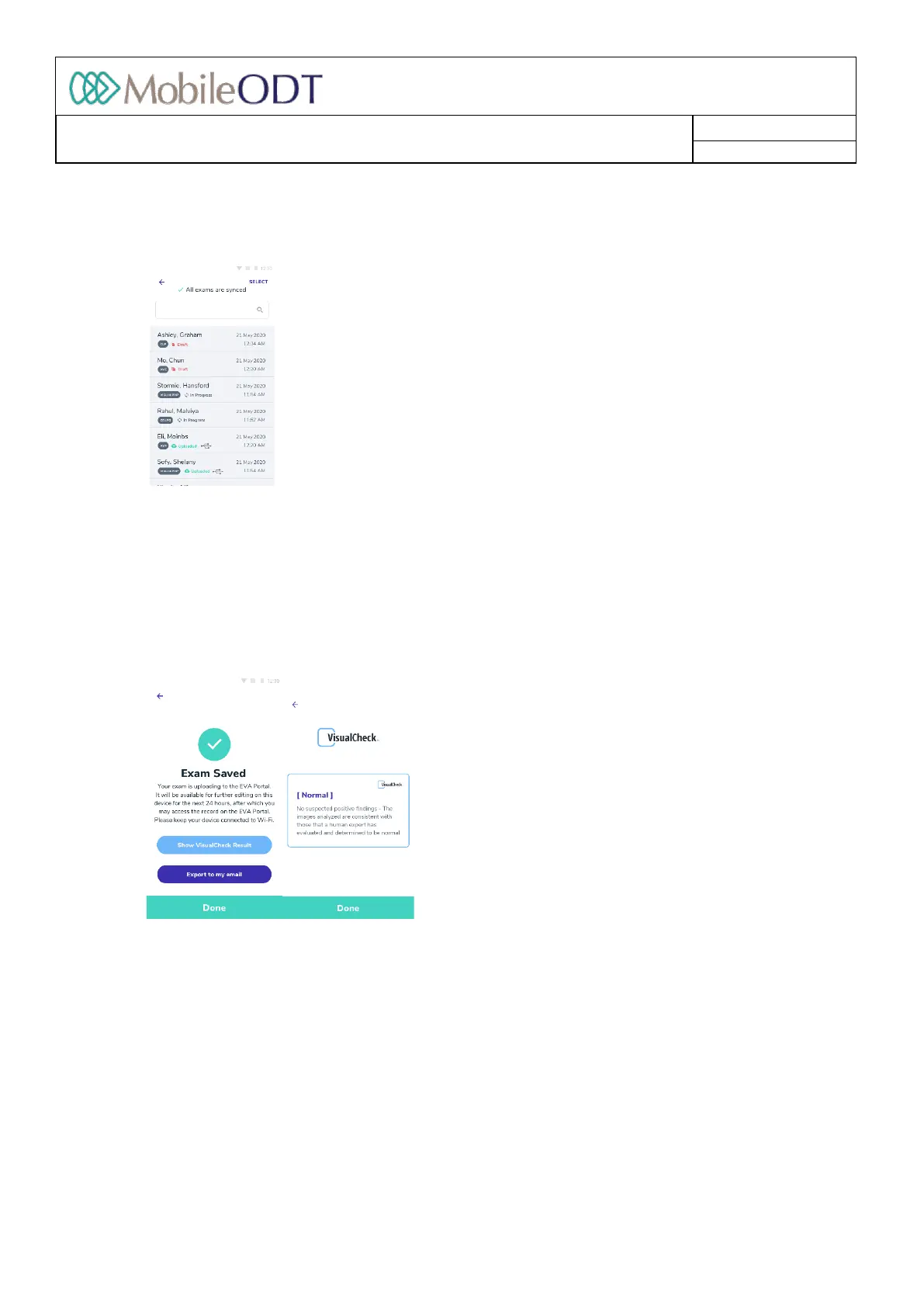
15.5.5. VisualCheckcanalsoberunonpastexamsthroughtheExamlistmenu.TorunVisualCheckonapast
examclickonMainmenuandthen‘Examlist’toseealistofyourrecentexams.
15.5.6. WhentheexamisreadytorunVisualCheck,‘VisualCheckready’willshownexttotheexamentry
15.5.7. Clickontheexamentrytoopentheexamsummary
15.5.8. Clickon‘RunVisualCheck’tostarttheassessment.
15.5.9. Dependingoninternetconnectivity,resultsshouldbereturnedinapproximately1minute.Oneoffour
possibleresultswillbereturnednormal,abnormal,incompleteorinconclusive.(seesection40.3for
details).
15.5.10. Ifimageswereadded/deleted,oriftheresultonVisualCheckrunwasIncomplete/Inconclusive,youare
advisedtorunVisualCheckagain,inordertogetanupdatedresult.
15.6. RunningVisualCheckanalysisfromtheEVAPortal
ToruntheVisualCheckanalysisfromtheEVAPortal,thereare4steps
15.6.1. LogintotheEVAPortal,whereyouwillseealistofyourrecentexams.
15.6.2. FindtheexamonwhichyouwishtorunVisualCheck.Clickontheentrytoopentheexamsummary.
PleasenoteVisualCheckcanberunonlyanexamsthatyoucreated.
15.6.3. ScrolldowntheexamsummarytofindtheVisualCheckbox
15.6.4. TostarttheVisualCheckassessment,clickthebutton“Runassessment.”
Doc ID: 4baaf484d7f5f01d2b8e5dc0fedc637256236abe



 To Next Page