EVASystemUserManual
No.10LB038
Rev.04
Page40of86
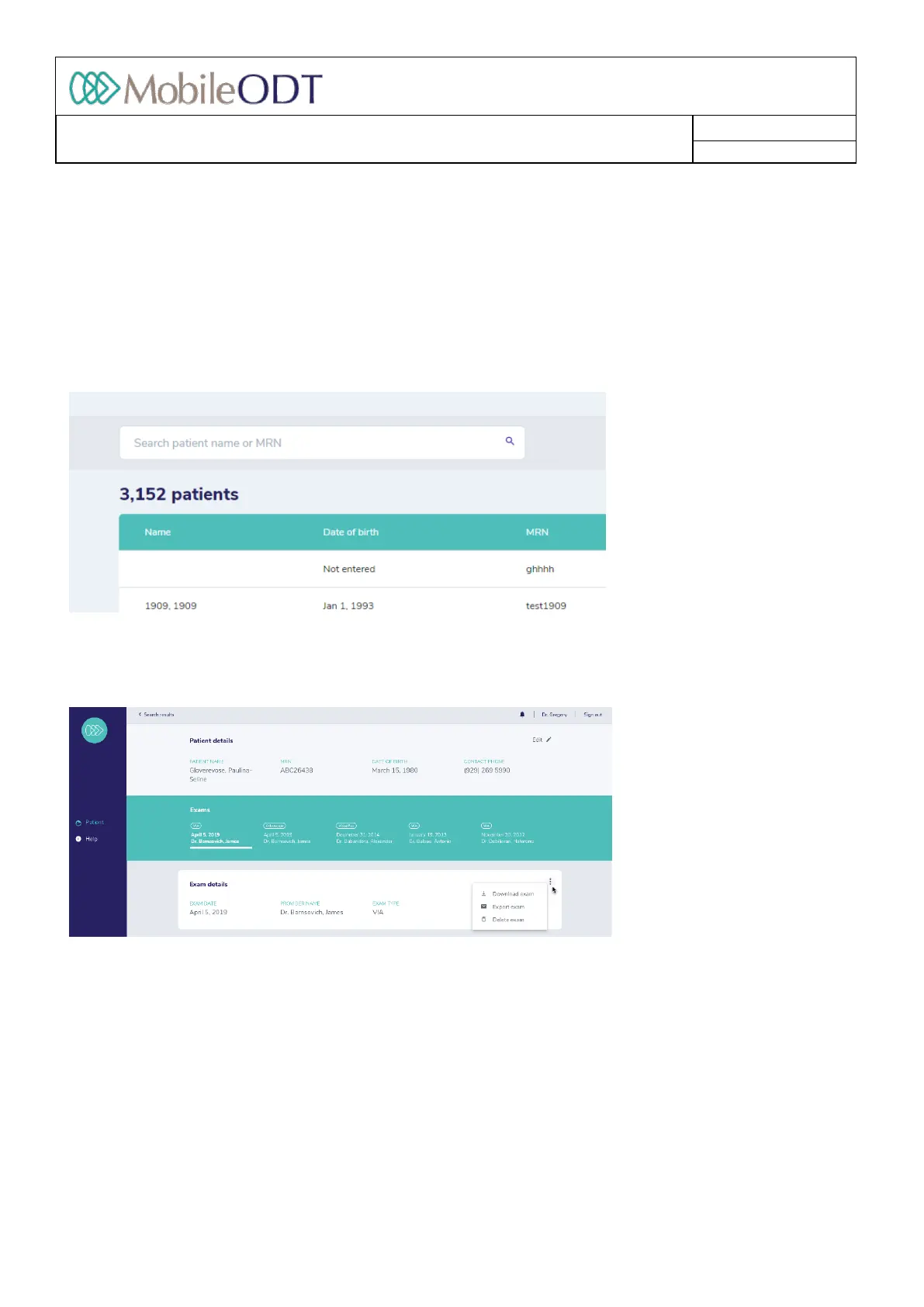
10.7.2. Deletingapatientrecord:hoverthecursoroverapatientname,andadeletebuttonisdisplayedinthe
rightcolumn.Whenthedeletionisconfirmedallthedatarelatedtothepatientispermanentlydeleted
fromthesystem.
10.8. Searchingforpatientrecords
10.8.1. Tosearchforapatient,enterthepatientnameormedicalrecordnumberbytypinginthesearchfield
atthetopofthescreenandtappingenter.Therelevantresultswillbepresentedonthescreen.
10.9. Reviewingandeditingpatientexaminationrecords
10.9.1. Inthepatientexaminationrecord,alltheinformationcollectedaboutthepatientduringcurrentand
pastexaminationsisdisplayed:patientdetails,documentationoftheexam,images,annotationsand
historyofpresentillness
10.9.2. Ifmultipleexaminationsofthesamepatienthavebeencollected,theywillbeshownonthetopofthe
patientexaminationrecord.Theusercanchoosetoviewthespecificexaminationbyclickingonthe
dateoftheexamination.
10.9.3. Anoptiontodeleteanexamisdisplayednexttoexamdetails.Onceit’sconfirmedalltheexam’sdatais
permanentlydeletedfromthesystem.
10.10. EditingtheExam
10.10.1. Inthepatientexaminationrecord,theusercaneditthedocumentationsectionandthehistoryof
presentillnessbypressingtheediticon.
Doc ID: 4baaf484d7f5f01d2b8e5dc0fedc637256236abe



 To Next Page