EVASystemUserManual
No.10LB038
Rev.04
Page42of86
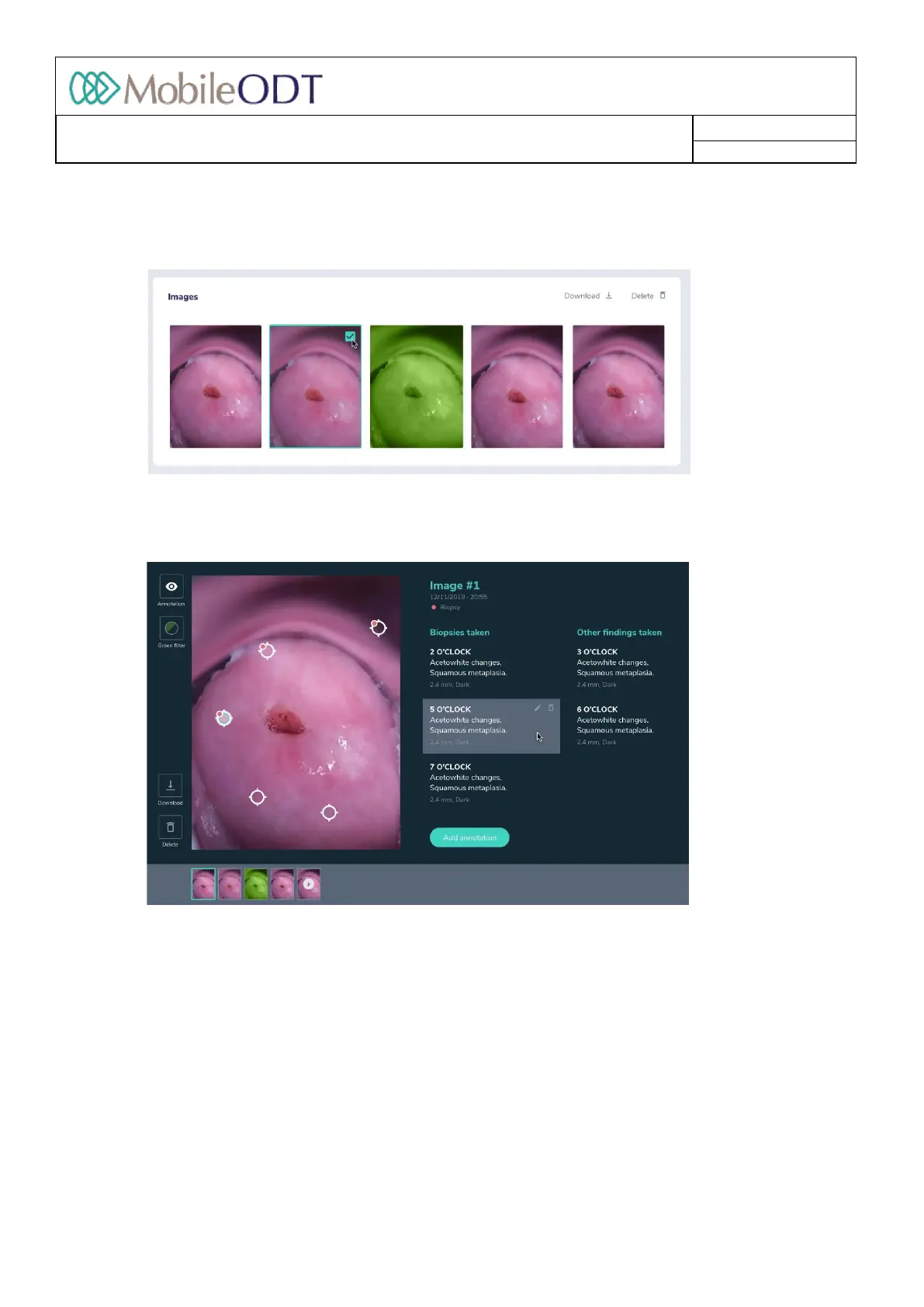
10.11.2. Deletingimages:inthepatientexaminationrecord,theusercanselectseveralimagestodelete.After
selectingtheimagesclickonthe“Delete”iconatthetoprightandconfirmtodeletetheimages.Once
it’sconfirmedalltheselectedimagesarepermanentlydeletedfromthesystem.
10.11.3. Intheimagegalleryview,theusercandeletethespecificimagebypressingthe‘Delete’buttoninthe
leftbottomcorner.Onceit’sconfirmedtheimageispermanentlydeletedfromthesystem.
10.11.4. Inordertoswitchbetweenimages,theusercaneitherpressonthethumbnailsbelowthelargeimage
tojumpdirectlytothatparticularimage,orusethearrowsonbothsidesofthescreentonavigate
throughtheimages
10.11.5. Downloadimage–theusercandownloadanimagebypressingthe‘download’button.
10.11.6. Show/HideAnnotations Byclickingontheannotationbuttononthetopleftofthescreen,userscan
vieworhideanyannotationsthatweremadeonthatparticularimage.
Annotationdescription/notesaredisplayedontherighthandsideofthescreen.Locationsof
annotationsareshownontheimage.
10.11.7. Addannotation–bypressing‘Addannotation’,theusercanaddannotationtoeveryimageinthe
exam.Thefollowingfieldsareneededtobefilled:annotationposition,biopsytaken,diagnosisand
additionalnotes.
10.11.8. Edit/Deleteannotation–whentheuser’smouseisonaspecificannotation,thedeleteandeditbuttons
aredisplayed.Toedittheparticularannotation,theusercanpressthe‘edit’button.Todeletean
annotation,theusercanpressthe‘delete’button.
Doc ID: 4baaf484d7f5f01d2b8e5dc0fedc637256236abe



 To Next Page