Mobileye Proprietary and Confidential
support@mobileye.com
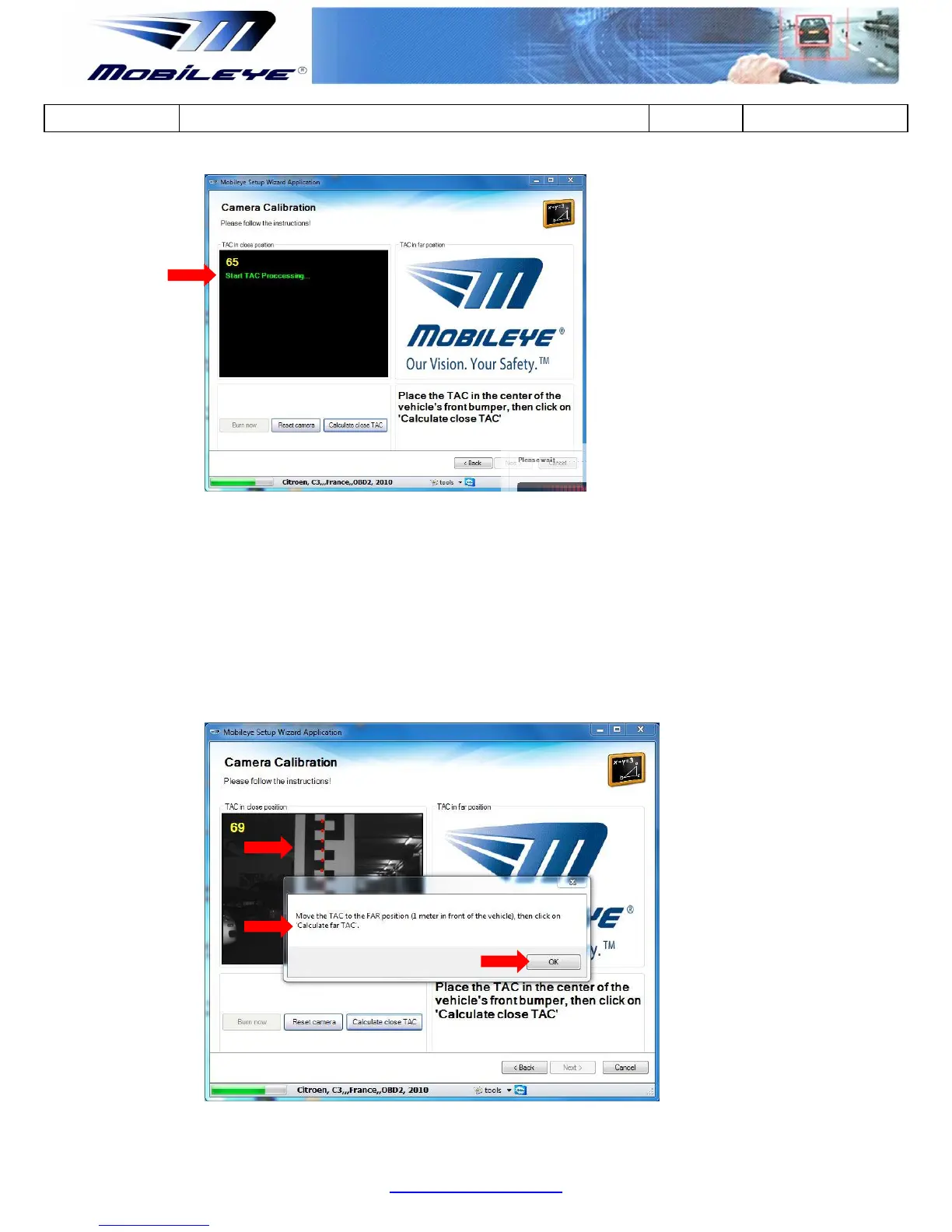
3. When the "Calculate Close TAC" is complete, an image of the close target
with red dots will appear
4. A pop-up message will ask you to move the TAC to the Far position Move
the target to the Far position (1 meter backwards) and only then click on
-up message to continue.



 To Next Page