Mobileye Proprietary and Confidential
support@mobileye.com
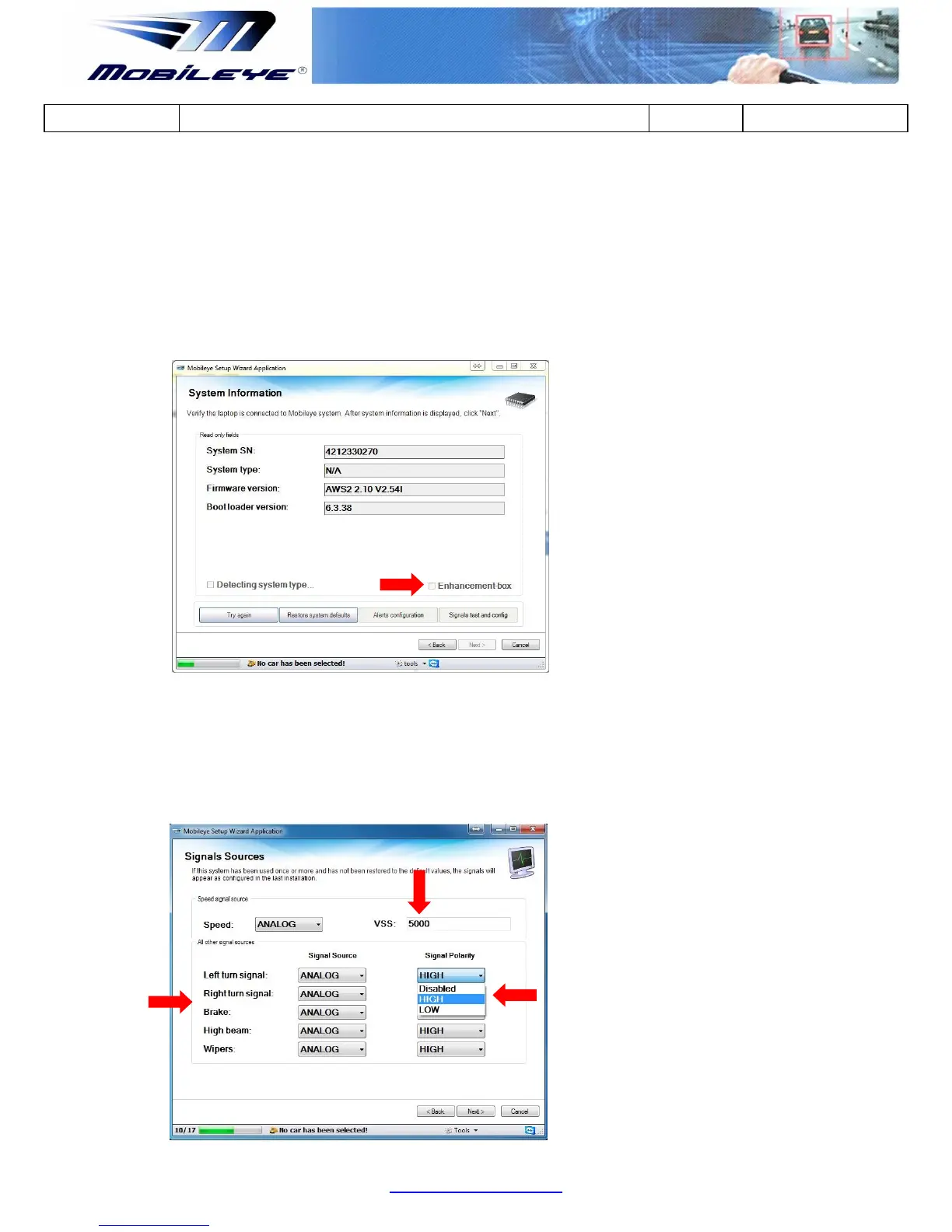
9.4 E-box Configuration
When installing a Mobileye 6 system using the Mobileye E-box make sure to:
Connect the Mobileye E-box to the Mobileye 6 system and confirm the E-box has
been recognized (indicated by a V in the Enhancementbox check box).
Nextntinue with the installation.
Enter the Speed VSS
Choose the polarity of the Analog signals (choose between High, Low and Not
connected)
with the standard calibration procedure



 To Next Page