20
D26 Camera Manual: Product Overview
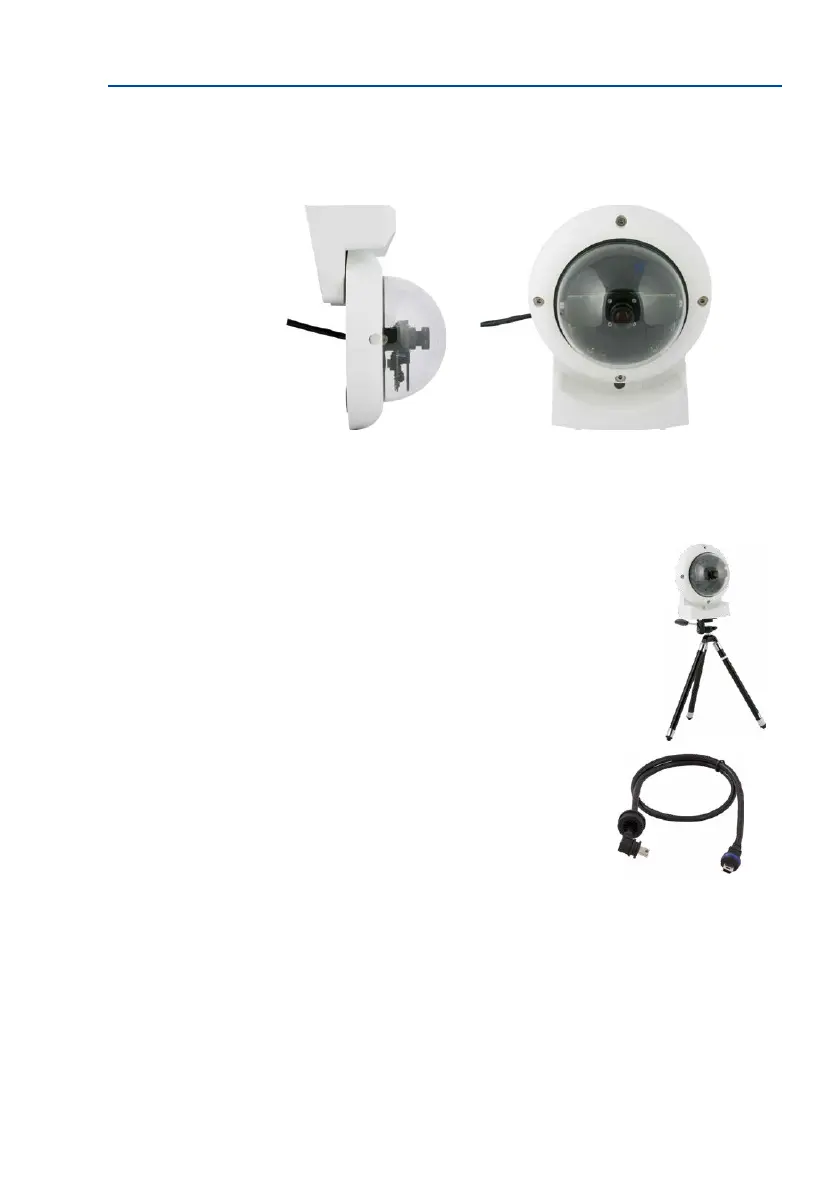
1.5.8 Stand/Wall Mount for Camera Tests
Order no.: MX-OPT-TW-Demo-1
The Stand/Wall Mount is a useful accessory for testing and for nding the optimum mounting
position of the camera. The set also includes an Allen wrench as well as a Torx screw with
dowel and the corresponding Torx wrench for installing as alternative wall mount for testing.
Using as a Stand (with/without tripod)
Using this stand, you can now place the camera upright on a at
surface or mount the whole assembly on a tripod (1/4” tripod
thread at the bottom of the stand).
1.5.9 MiniUSB Cable to MiniUSB (Straight/Angled)
Order no.: MX-CBL-MU-EN-PG-STR-05/2/5
(straight/angled)
The MOBOTIX MX-232-IO-Box can be connected directly
to the D26 with this cable, which is up to ve meters long.
Only cables with
angled plugs can be
used for the D26



 To Next Page