64
D26 Camera Manual: Installation
2.8.2 Inserting the MicroSD Card
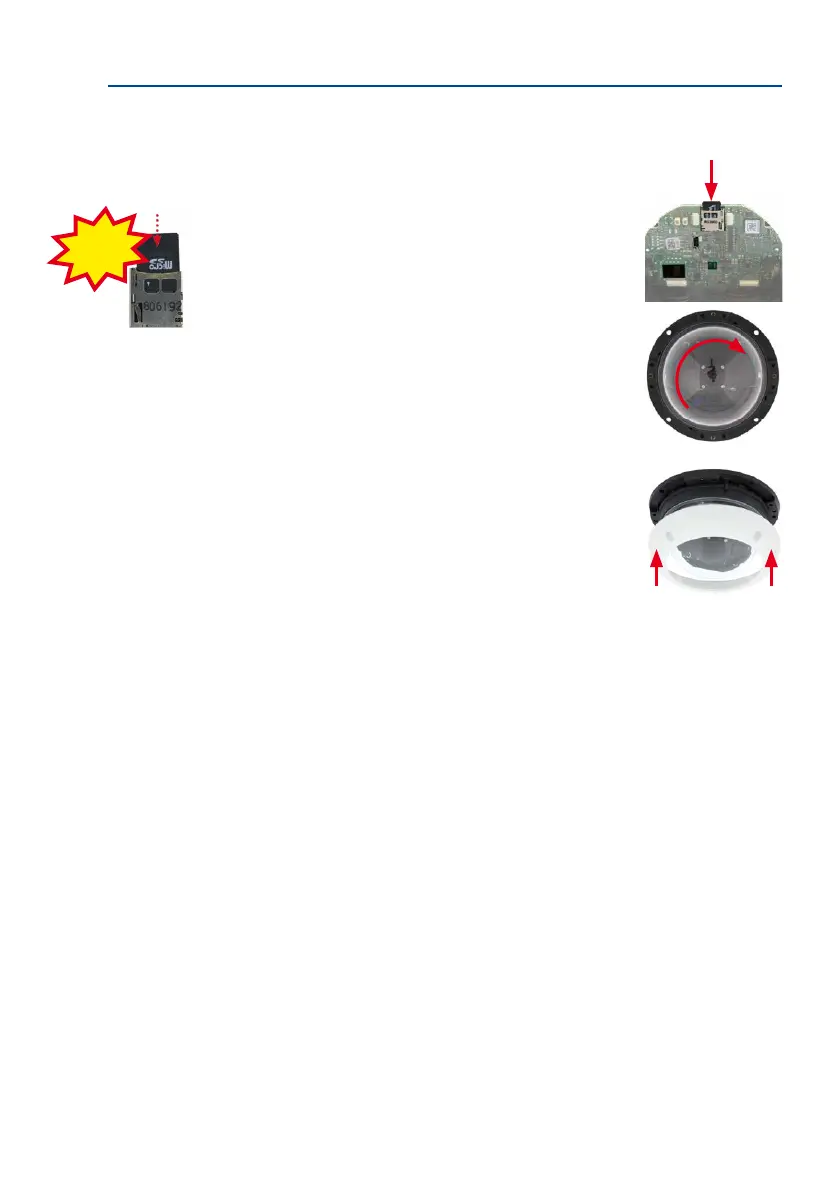
1. Insert the MicroSD card: Push the MicroSD card into the card
slot as shown, until an audible and perceptible click indicates
it is in place.
• Remove the camera dome. Take the delivered plastic foil or
a cotton cloth, insert the dome into its seat and turn it in clock-
wise direction.
• Attach the outer shell: Place the outer shell onto the cam
-
era and tighten all four Allen screws using the supplied Allen
wrench. Make sure that the rubber seal is seated properly.
• Activate recording: If you have inserted a MicroSD card that has already been MxFFS
formatted, you can activate recording under Admin Menu > Storage on External File
Server / Flash Device. Once the camera has been rebooted, it automatically activates
recording.
•
If you are using a new MicroSD card, it must rst be formatted as described in Section 3.5,
«MicroSD Card Recording»,.
Push-Push operation:
Insert MicroSD card
and push once.
Click!



 To Next Page