WARNING! Only replace the sensor modules when the camera is disconnected from the power supply.
Make sure the power supply to the camera is disconnected before installing or replacing sensor modules.
WARNING! When installing the sensor modules, make sure that the sensor module cables are not damaged
or bent sharply.
Procedure
1. Remove security clips: If any security clips are installed, remove them (see Removing the Security Clips,
p. 50).
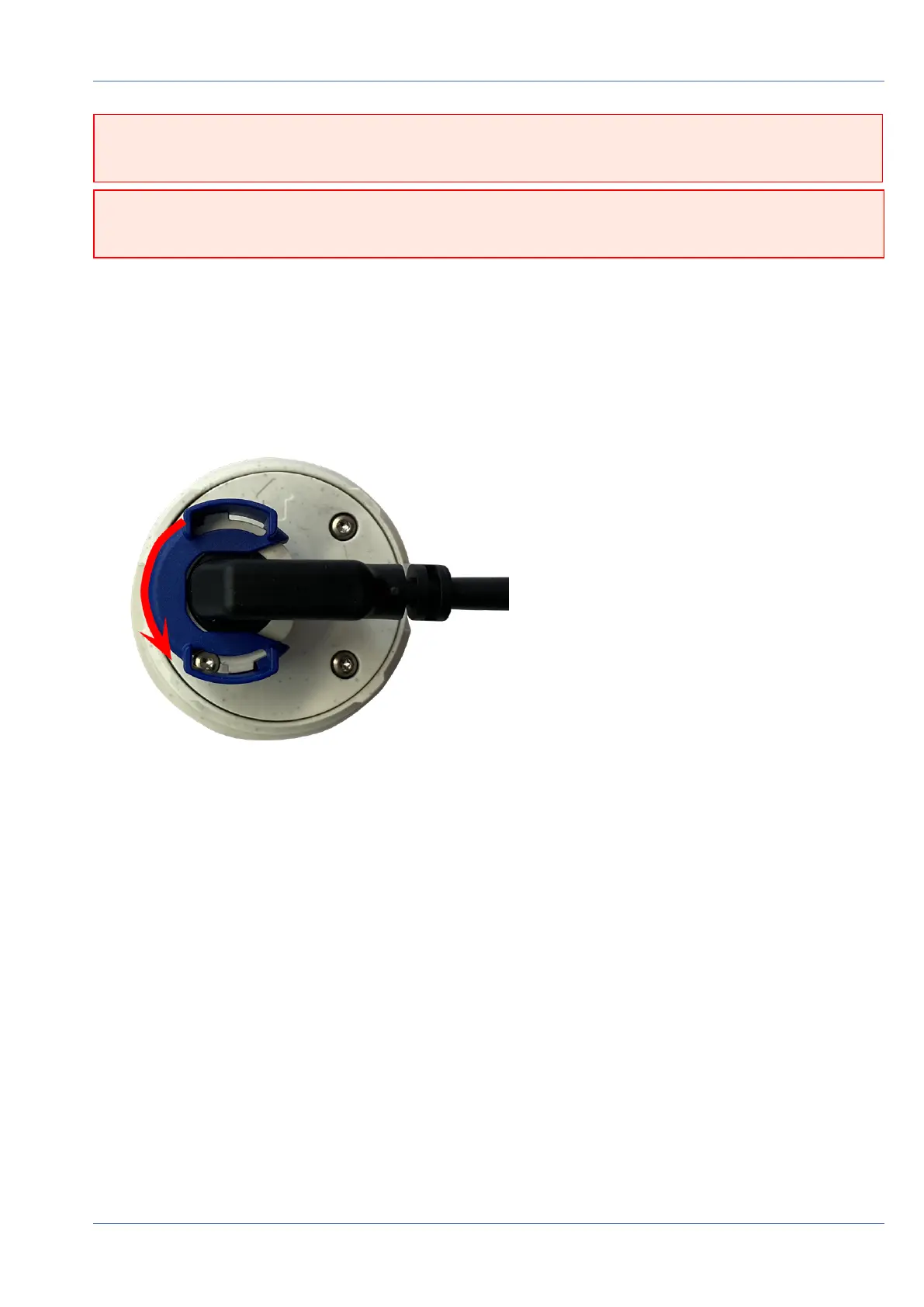
2. Unlock sensor module cable: Turn the blue bayonet catch counterclockwise from the connector of the
sensor module until it releases and remove it.
Fig. 20: Unlock sensor module cable
Mounting
Installing a Thermal Front Plate
52 / 110



 To Next Page