Mounting
Installing a Thermal Front Plate
Procedure
1. Open the module housing (see Opening the Module Housing, p. 44).
2.
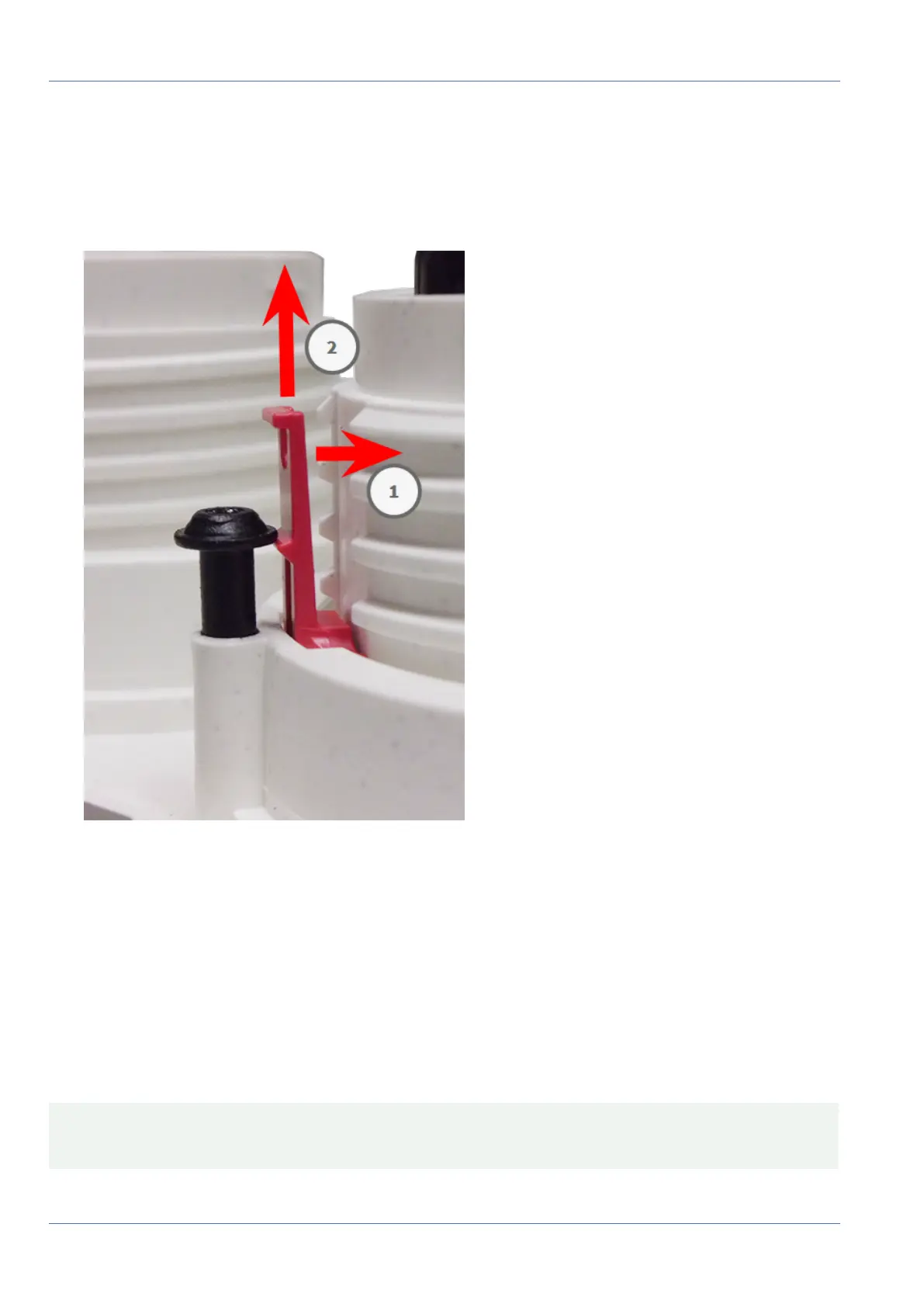
Remove the security clips: Push the security clip slightly towards the sensor module ① and pull it out
of its seat ② .
Fig. 19: Remove a security clip
3. Repeat steps 1 and 2 to remove the other security clips.
Proceed by Removing Installed Sensor Modules, p. 51.
Removing Installed Sensor Modules
In some cases, e.g., when replacing modules, you need to remove the sensor modules. It’s the same pro-
cedure for both, the default front plate and the thermal front plate.
CAUTION! Do not operate the camera until all three receptacles have been fitted with sensor or blind mod-
ules.
51 / 110



 To Next Page