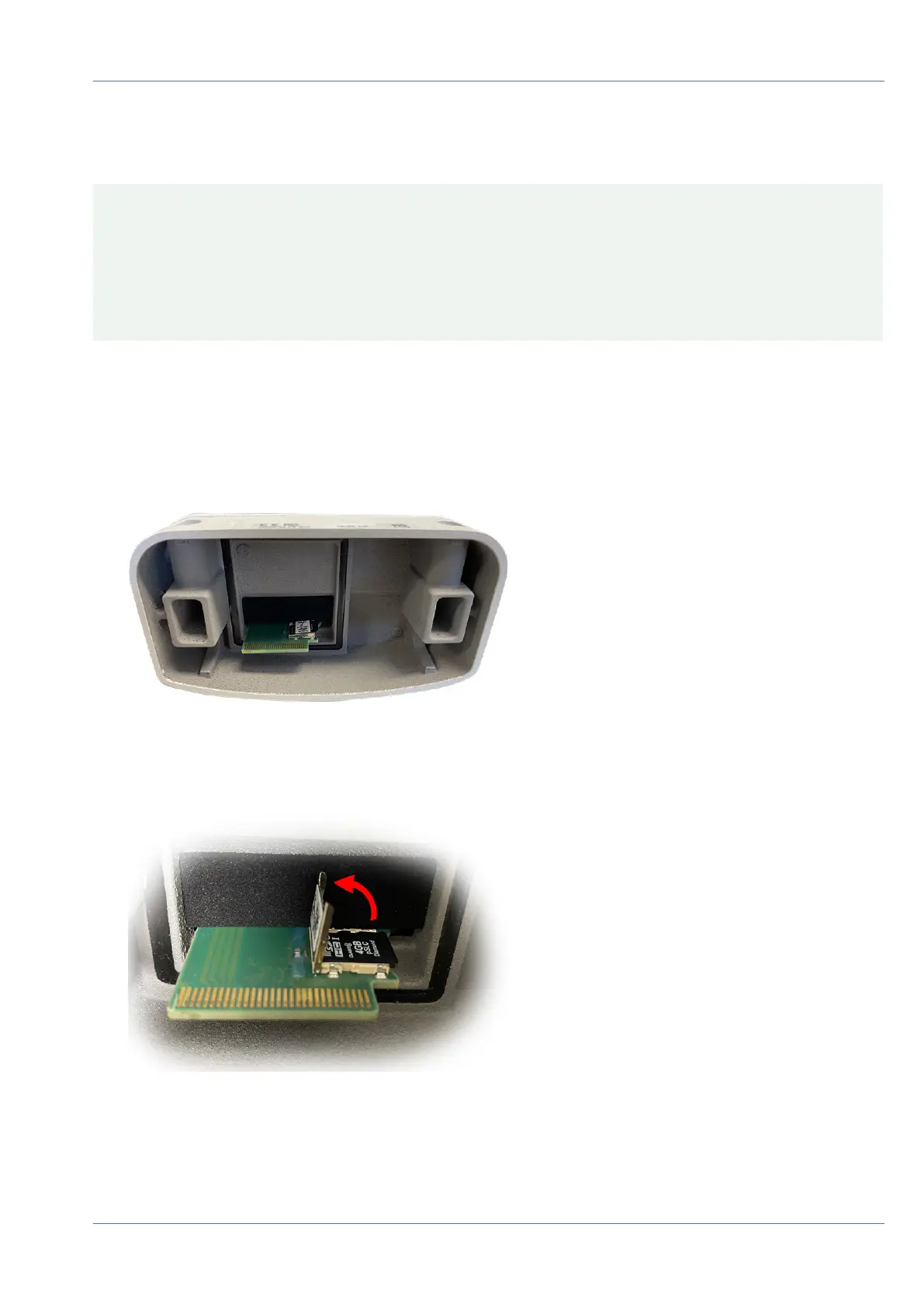
Replacing the microSD card
CAUTION! To remove, insert or exchange the microSD card, the camera must be disassembled.
Before removing the microSD card, deactivate the recording function and restart the camera. Non-observ-
ance can lead to data loss!
The microSD card must not be write-protected!
Do not touch the circuit board when exchanging the microSD card!
Step by step
1. Deactivate storage: If storage on microSD card is still activated deactivate it in the cameras web inter-
face: Admin Menu > Storage on external file server / flash media, then reboot the camera .
2. Open the camera body: see Opening the Camera Body, p. 105
Fig. 94: Open camera body
3. Unlock the microSD card holder: Carefully flip up the metal cover of microSD card (e.g. with a fin-
gernail).
Fig. 95: Unlock microSD card holder
4. Remove the microSD card
5. Insert microSD card: Insert the new microSD card in the holder and close the metal cover with light pres-
sure until it snaps in.
Maintenance
Replacing the microSD card
108 / 110



 To Next Page