Mounting
Installing a Thermal Front Plate
3. Using the supplied 5mm Allen wrench M.6, p. 21, tighten the bolt at the back of the camera housing.
4. Push the rubber plug back into the opening of the screw to prevent humidity and dirt from entering the
camera.
Installing a Thermal Front Plate
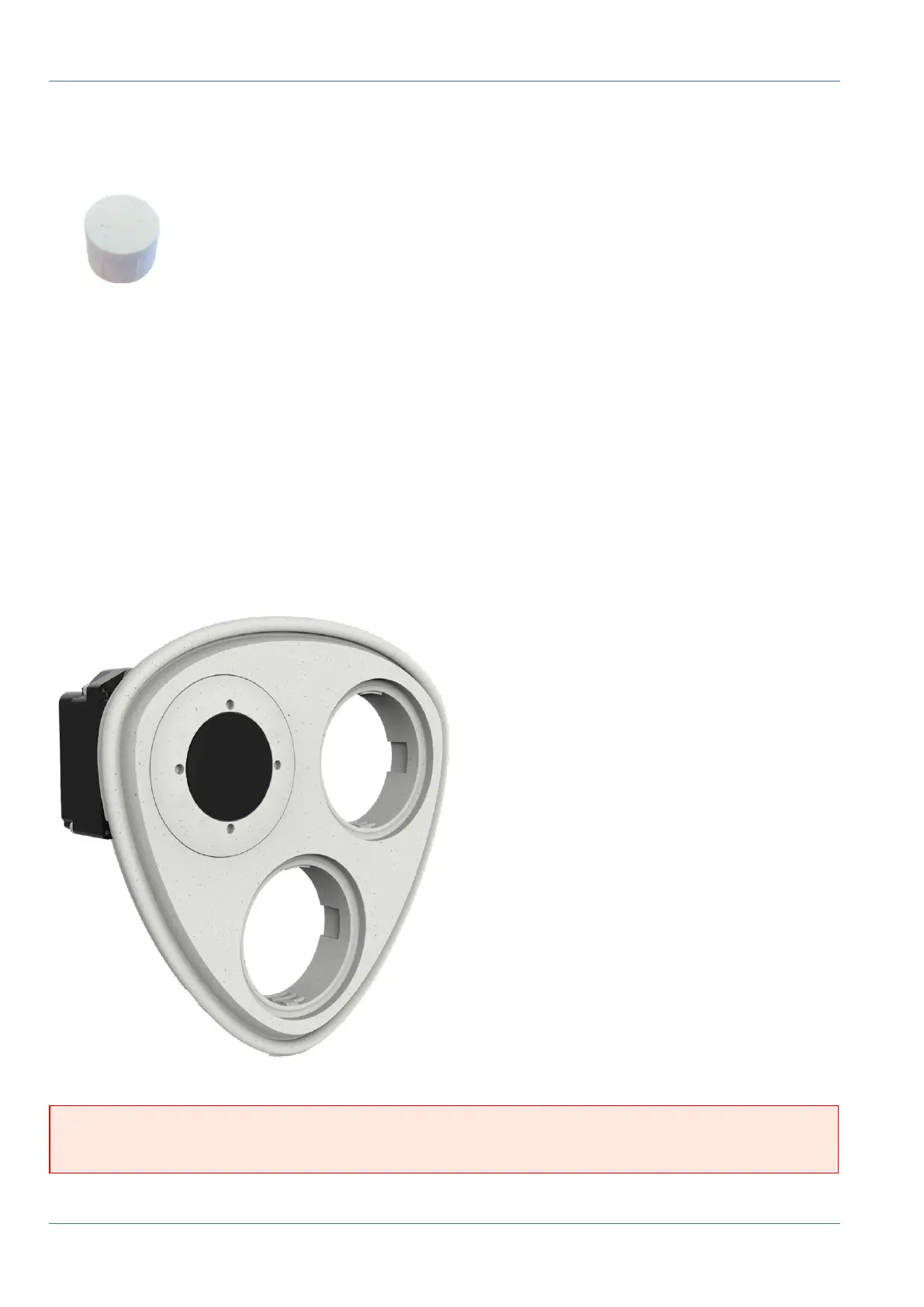
Since the thermal sensor module is permanently attached to the Thermal front plate, you need to replace
the standard front plate and install the new one (see Fig. 18: MOBOTIX M73 Thermal Front Plate with thermal
sensor module).
Upon delivery, two of three available sensor module sockets in the thermal front plate are fitted with trans-
port plugs 1.4. When operating the camera, they need to be fitted either with sensor or blind modules 1.5.
This closes off the front plate and protects the camera against foreign objects, animals and water.
Fig. 18: MOBOTIX M73 Thermal Front Plate with thermal sensor module
WARNING! Only replace the sensor modules when the camera is disconnected from the power supply.
Make sure the power supply to the camera is disconnected before installing or replacing sensor modules.
49 / 110



 To Next Page