Mounting
Installing a Thermal Front Plate
Installing the Sensor Modules to the Thermal Front Plate
Since the Thermal module is pre-installed, you only need to install additional sensor modules (functional or
optical).
Procedure
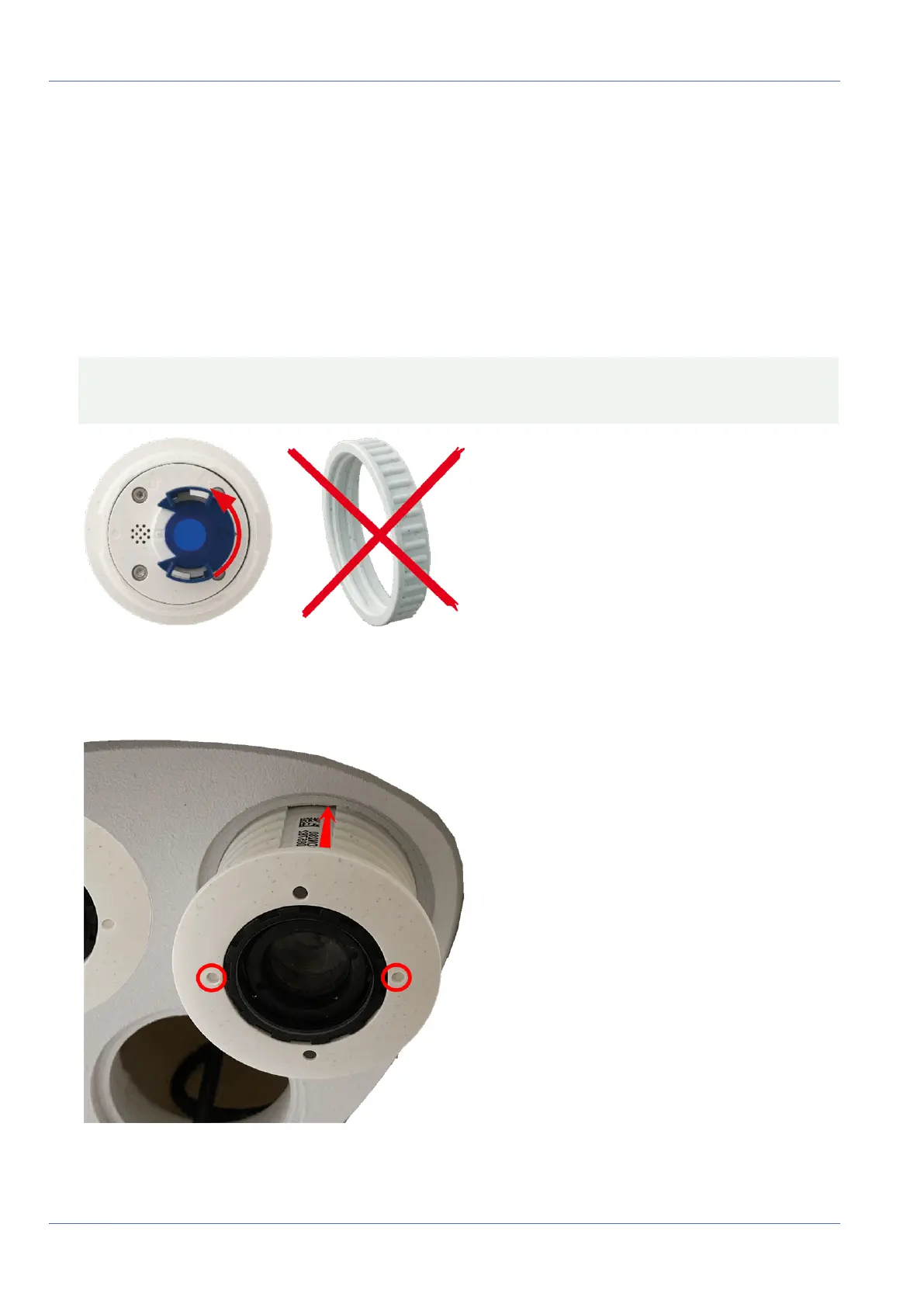
1. Prepare the sensor module: Remove the bayonet catch by rotating it counter-clockwise, then remove
the blue rubber plug.
CAUTION! If the plastic nut has been installed, remove it.
This nut will not be used any more in the mounting process.
Fig. 24: Prepare sensor module for mounting; remove plastic nut!
2. Insert sensor/functional modules into Thermal front plate: Push the sensor module into its recept-
acle. The arrow on the back of the module points to 9 o'clock when looking at the module as shown.
Fig. 25: Insert sensor module into Thermal front plate
55 / 110



 To Next Page