Mounting
Mounting Options
3.
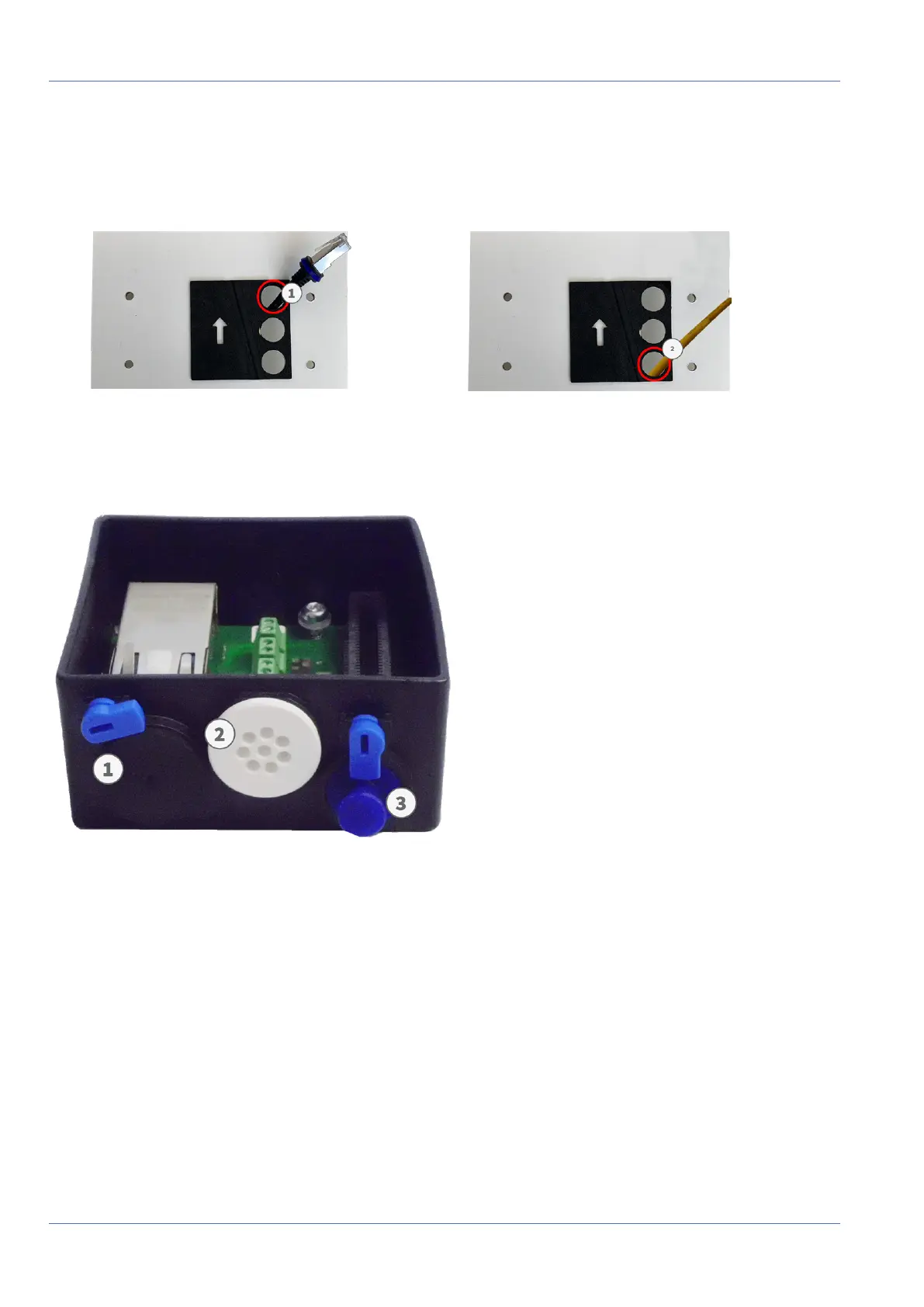
Push the supplied network cable (Connector Box RJ45) through the upper hole ① or the yellow network
cable (Connector Box LSA)through the lower hole ② of the mounting plate.
Connector Box RJ45 Connector Box LSA
Fig. 43: Prepared for Connector Box RJ45
Fig. 44: Prepared for Connector Box LSA
Prepare the Mounting Plate When Using the Connector Box RJ45
Fig. 45: Connector Box RJ45
The supplied network cable 1.7 has an integrated rubber sealing. Push the network cable through the top
hole of the mounting plate, so that the funnel of the rubber plug ① points toward the camera.
67 / 110



 To Next Page