33
Preparing the Installation
Furthermore, the “camera view from top to bottom” can also be achieved by mounting the
camera to a wall or a pole at a tilt of 90°.
Note
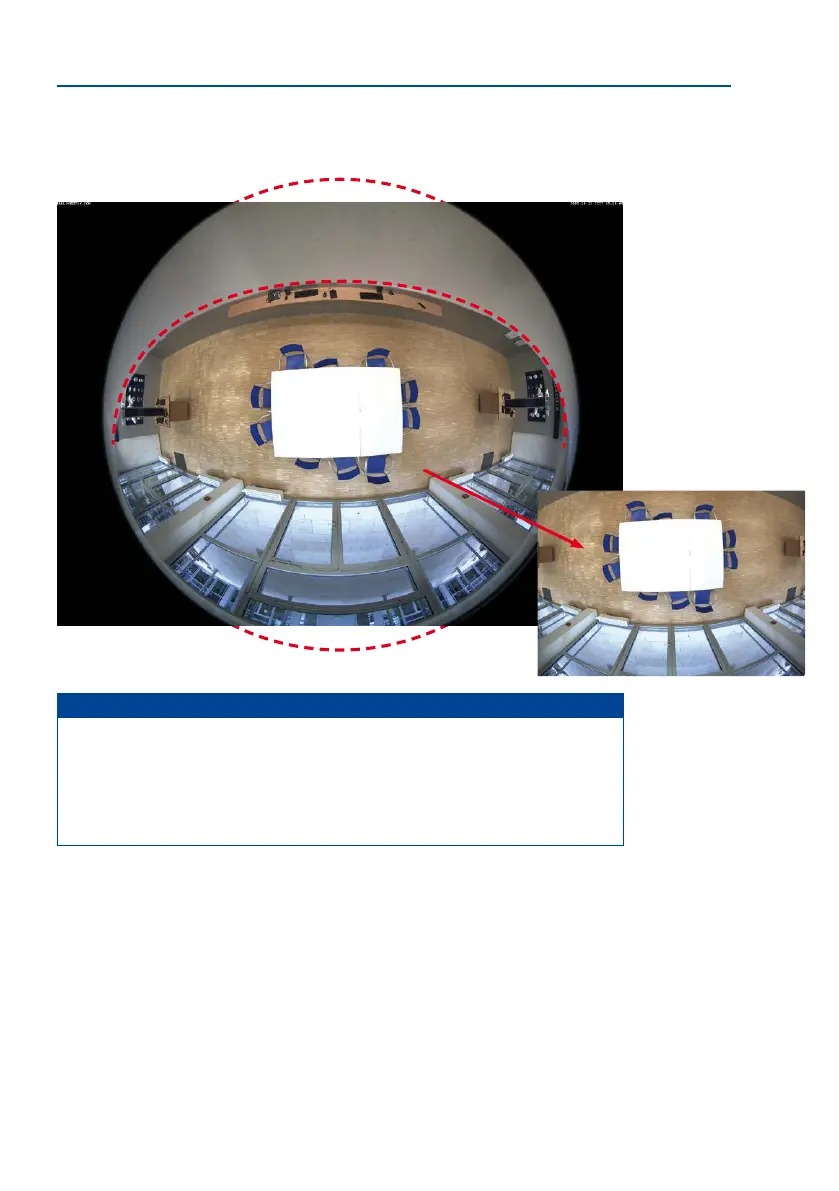
Part of the captured image area (especially in full image display mode) is concealed
behind the protective cover of the M26 housing. For this reason, M26 cameras with B016
lens should be adjusted so that the concealed areas are not those that are supposed
to be monitored. By panning/tilting/zooming the image, the concealed area can be
completely removed from the image.
Weather protection visible in Full
Image display mode
By panning/tilting/zooming
the image, the concealed
area can be completely
removed from the image



 To Next Page